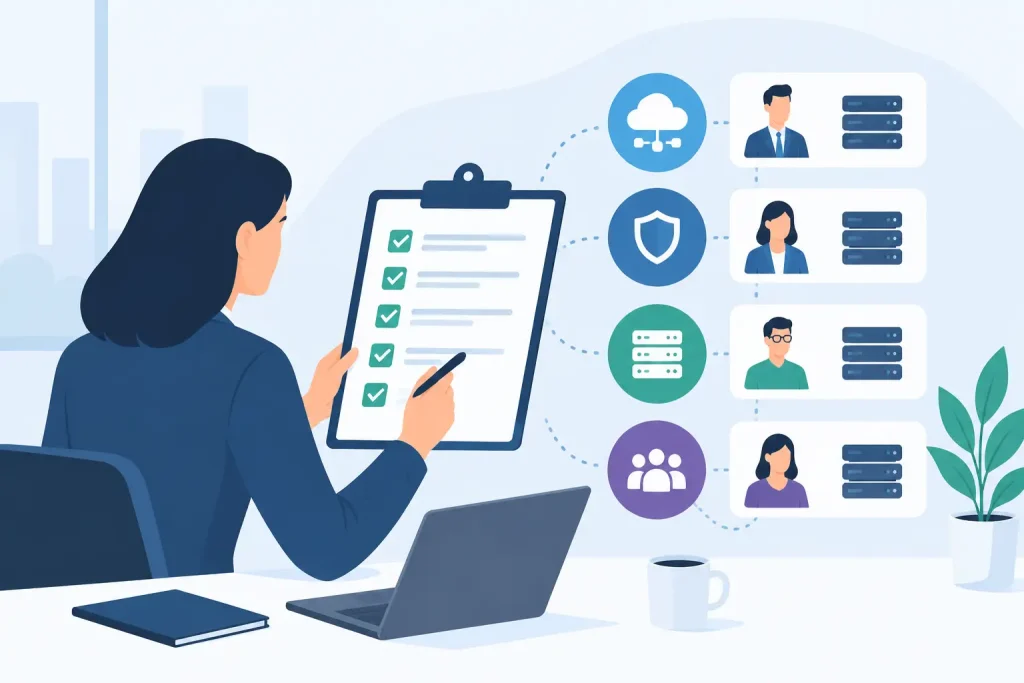
Most disaster recovery plans look solid right up until someone has to use one at 2:13 a.m. under pressure. That is why a disaster recovery testing guide matters. A written plan may satisfy an audit, but only testing shows whether your backups are usable, your failover path works, your vendors respond, and your people know who owns what when systems are down.
For organizations that run healthcare operations, multi-site retail, senior living, finance, education, or commercial properties, this is not a paperwork exercise. Downtime affects patient care, resident safety, transactions, tenant experience, compliance, and revenue. Recovery testing turns business continuity from a promise into an operational capability.
What disaster recovery testing is actually proving
A good test is not trying to prove that the plan exists. It is trying to prove that the business can recover within acceptable limits. That means validating recovery time objectives, recovery point objectives, application dependencies, communications, access controls, and decision-making under stress.
That distinction matters because many teams over-focus on backup success messages. A backup job completing on schedule is useful, but it does not confirm the data is complete, the restore process is documented, or the recovered system will function in the right order. Testing should answer a harder question: if a real outage happens, can we restore the services that matter fast enough to protect operations?
Start with business impact, not infrastructure diagrams
The strongest disaster recovery testing guide begins with business priorities. Not every system deserves the same recovery target, and treating everything as equally critical usually leads to wasted spend or vague planning.
Start by identifying the services that cause immediate operational disruption if they fail. For one organization, that may be EHR access, voice systems, and secure internet connectivity. For another, it may be payment processing, wireless coverage across multiple sites, ERP, or building access systems. Once those priorities are clear, map the infrastructure, vendors, and people required to bring each service back.
This is where many plans expose gaps. The server may be protected, but the application owner is unavailable. The core system may be replicated, but DNS changes are manual. Internet failover may exist, but the circuit escalation path is undocumented. Recovery works only when the whole chain works.
The four levels of disaster recovery testing
Not every test needs to be a full production failover. In fact, forcing that too early can create unnecessary risk. Mature programs usually move through four levels.
A walkthrough is the baseline. The team reviews the plan, confirms contacts, checks asset inventories, and verifies that documented steps still match the current environment. This catches stale documentation, personnel changes, and forgotten dependencies.
A tabletop exercise goes further. Stakeholders work through a realistic outage scenario and make decisions in sequence. This is where communications failures, approval bottlenecks, and vendor ambiguity show up. Tabletop sessions are especially useful for executive, operations, and facilities leaders who need to understand their role during a disruption.
A technical recovery test validates specific actions such as restoring a virtual machine, failing over a critical application, recovering network configurations, or bringing voice services online from a secondary environment. This is where engineering truth replaces assumptions.
A full interruption or live failover test is the highest level. It proves that production workloads can shift to a recovery environment and continue serving the business. It also carries the highest operational risk, so it should be planned carefully, approved by stakeholders, and limited to environments mature enough to support it.
How often should you test?
It depends on change rate, compliance requirements, and the cost of downtime. Annual testing is common, but for organizations with frequent infrastructure changes, seasonal peaks, or multiple locations, once a year may not be enough.
A practical approach is to perform at least one formal test annually, with lighter validation exercises throughout the year. Any major change to infrastructure, carriers, cybersecurity controls, cloud architecture, telephony, or core applications should trigger targeted retesting. If the environment changed, the old test result is less meaningful.
Healthcare, finance, and other compliance-conscious sectors often need more disciplined evidence. In those cases, the issue is not just testing frequency. It is documentation quality, executive review, and whether corrective actions are tracked to completion.
What to validate during a real test
The test should focus on outcomes the business cares about. Recovery time is obvious, but it is only one measure. You also need to confirm that recovered systems are usable, secure, and reachable by the right users.
Validate backup integrity by restoring data, not just checking backup logs. Validate failover by confirming traffic, authentication, and application access function from the secondary environment. Validate network dependencies such as firewalls, VPNs, DNS, DHCP, and internet circuits. Validate communications so staff, customers, residents, patients, or tenants know what is happening and what to expect.
Security needs equal attention. During recovery, teams sometimes bypass normal controls to move faster. That creates a second problem in the middle of the first one. Test whether multifactor authentication, logging, privileged access, and endpoint protections remain intact in the recovery environment.
Vendor coordination is another common failure point. If your continuity plan depends on separate cloud providers, telecom carriers, software vendors, hardware support, and internal teams acting in sequence, the test should expose whether those handoffs are realistic. One team that owns the whole stack reduces friction here, but even then, responsibilities still need to be explicit.
Common testing mistakes that create false confidence
The most common mistake is announcing the scenario so far in advance that everyone has time to quietly fix the environment before the test. That may feel safer, but it defeats the point. Teams should know a test is scheduled. They should not know every variable.
Another mistake is testing only easy systems. If email and file shares recover well but your line-of-business platform, voice platform, or site-to-site connectivity has never been validated, the plan is not ready.
Some organizations also stop at technical recovery and ignore business operations. A server may come back online, but if front-desk staff cannot log in, clinicians cannot print, stores cannot process transactions, or managers do not know the downtime process, the business is still impaired.
There is also a documentation trap. Teams sometimes produce a polished report that says the test passed while leaving known exceptions unresolved. A useful test report should be blunt. What worked, what failed, how long it took, what changed, who owns remediation, and when retesting will occur.
Building a practical disaster recovery testing guide
If you are refining your own disaster recovery testing guide, keep it operational. Define the scope first, including locations, applications, infrastructure, carriers, and stakeholders involved. Set clear success criteria tied to RTO and RPO targets. Assign incident roles before the exercise begins, including technical leads, executive decision-makers, communications owners, and vendor contacts.
Then design scenarios that match actual business risk. Cyberattack, internet carrier failure, power disruption, cloud service outage, site loss, and accidental deletion each test different recovery paths. Rotating through scenarios over time gives a more honest picture than repeating the same exercise every year.
During execution, capture timestamps and decisions in real time. Afterward, hold a disciplined review within a few days while details are fresh. Convert findings into action items with owners and deadlines. The test is not complete when the meeting ends. It is complete when the gaps are closed and the fixes are validated.
For multi-site organizations, consistency matters. One location may have a stronger local team, a different ISP mix, or older equipment. Standardized testing methods make it easier to compare results, identify weak sites, and prioritize investment. This is often where a managed partner with visibility across IT, network, voice, and connectivity becomes valuable. Southeast Networks approaches continuity this way because partial oversight usually produces partial recovery.
The business case for testing before you need it
Disaster recovery testing takes time, coordination, and budget. So do outages, except outages arrive without scheduling and cost far more. Testing is how you reduce uncertainty before the stakes are high.
It also improves decision-making beyond disaster recovery. Teams uncover undocumented systems, single points of failure, aging circuits, access control gaps, and vendor dependencies that affect daily operations, not just emergency response. That makes the exercise useful even if the worst-case event never occurs.
The goal is not to prove perfection. No environment is perfect, and every recovery strategy has trade-offs between speed, complexity, and cost. The goal is to know, with evidence, how your organization will perform when something breaks and what needs to improve next. That level of clarity is what turns continuity planning into real operational resilience.
A plan on paper can satisfy a requirement. A tested plan protects the business when the lights flicker, the carrier drops, or ransomware hits at the worst possible moment.