
logo-icon

Connect With Us

Click below to connect with me and learn about latest from your industry

How to Reduce IT Vendors Without Risk

If your team has to call one company for internet, another for phones, another for help desk, and a fourth for cybersecurity, the issue is not just inconvenience. It is operational risk. When leaders ask how to reduce IT vendors, they are usually trying to fix slower resolution times, unclear accountability, and costs that are harder to control than they should be.

Vendor sprawl looks manageable until something breaks. A site loses connectivity, voice traffic fails over poorly, users cannot access core applications, and every provider points to someone else. Meanwhile, your operations team is stuck coordinating status updates instead of restoring service. That is why reducing vendors is not a procurement exercise alone. It is an infrastructure and business continuity decision.

Why vendor reduction matters more than it used to

A decade ago, organizations could separate telecom, IT support, security, and cloud services with fewer side effects. Today those systems overlap constantly. Your firewall affects application performance. Your carrier circuit affects voice quality. Endpoint management affects security posture. Wi-Fi issues turn into productivity issues, patient experience issues, resident experience issues, or revenue issues depending on your environment.

The more providers involved, the more handoffs you create. Every handoff introduces delay, ambiguity, and the possibility that no one owns the outcome. For multi-site organizations, that problem multiplies fast. Different locations often end up with different ISPs, different support vendors, different renewal dates, and inconsistent standards. The result is not flexibility. It is fragmentation.

That does not mean every service belongs with a single partner in every case. Some organizations have valid reasons to keep specialized vendors in place, especially around highly customized applications or niche compliance tools. But most companies carry more vendors than they need because the environment evolved piecemeal over time.

How to reduce IT vendors the right way

The safest path is not to cut providers quickly. It is to consolidate intentionally around accountability.

Start by mapping the services you actually buy, not just the vendor names. Most organizations know who they pay each month, but fewer can clearly document which partner owns internet access, firewall changes, endpoint support, voice administration, circuit escalation, wireless coverage, backup validation, and after-hours response. That distinction matters because duplicate coverage and support gaps often exist at the same time.

Next, identify the areas where outages create the most business pain. In healthcare, that may be EHR access, voice uptime, and segmented network security. In senior living, it may be resident connectivity, staff mobility, and emergency communication reliability. In retail and financial services, payment systems, branch uptime, and secure connectivity tend to sit at the top of the list. Those high-impact systems should shape your consolidation plan.

Then look for stack-level dependencies. A common mistake is treating each vendor category as separate when the environment is interdependent. If your managed IT provider does not manage the firewall and your connectivity provider does not coordinate with voice, you do not have clean ownership. You have a gap. Reducing vendors works best when one team can see across endpoint, network, security, and carrier services and act without waiting on three outside escalations.

Where consolidation usually creates the most value

The biggest gains usually come from combining services that already depend on each other operationally.

Connectivity and network management are an obvious pair. If one partner sources and supports your circuits but another handles switching, firewalls, and wireless, troubleshooting gets slower than it needs to be. The same is true for voice and internet. VoIP quality depends heavily on network design, bandwidth policy, failover behavior, and ISP performance. When those responsibilities are split too widely, service issues become blame loops.

Managed IT and cybersecurity also tend to benefit from tighter ownership. Endpoint visibility, patching, MFA enforcement, backup integrity, and response workflows should not live in separate silos if your goal is lower risk. Security incidents move fast. The fewer organizational boundaries between detection, containment, and recovery, the better.

This is where a single-source operating model can be effective. Instead of maintaining separate contracts for support, circuits, voice, and layered security, organizations centralize those functions under one accountable team. That does not eliminate specialization. It simply puts execution under one roof so the client is not left managing the seams.

What to keep, what to consolidate

Not every vendor should be absorbed into one relationship. The better question is which vendors are strategic and which are just historical.

Keep providers that bring true specialization you actively use and cannot reasonably replicate elsewhere. This might include a line-of-business application developer, a medical imaging platform, or a property management system with unique operational requirements. If a vendor owns a critical application and supports it well, replacing them for the sake of consolidation alone can create more risk than value.

Consolidate vendors where the service is foundational, recurring, and operationally connected to the rest of your environment. Internet, SD-WAN, Wi-Fi, help desk, endpoint management, VoIP, cybersecurity controls, and backup oversight usually fit this category. These are not isolated purchases. They are parts of one operating system for the business.

A useful test is simple: when a problem affects users, how many companies have to get involved before it is fixed? If the answer is more than one in routine situations, you likely have room to reduce complexity.

The financial case for reducing vendors

Many leaders assume consolidation is mainly about lowering monthly spend. Sometimes it does, especially when duplicate tools, overlapping support contracts, and underused circuits are removed. But the stronger financial argument is usually better control.

Too many vendors create hidden costs. Staff time gets consumed by invoice reviews, renewal tracking, status calls, and escalation management. Different contract terms make budgeting harder. Separate providers may bill in ways that obscure the true cost of uptime, support, and change requests. A fragmented model can look competitive on paper while producing higher real operating cost.

Consolidation also improves leverage. A partner that manages more of the stack can standardize environments, reduce one-off fixes, and make support more predictable. Carrier-neutral sourcing adds another layer of value because it lets organizations match the right circuit and provider to each site without locking strategy to one carrier relationship.

That said, lower vendor count should not come at the expense of optionality. The right partner gives you fewer management points, not less visibility. You should still expect clear billing, service-level commitments, and transparency around carrier choices and third-party components.

How to evaluate a consolidation partner

If you are serious about how to reduce IT vendors, do not start by asking who can sell you the most services. Start by asking who will own the result when multiple systems are involved.

Look for a provider that can assess the full environment, not just quote a single service. They should be able to review your network, support model, security controls, circuits, voice platform, and recovery posture as connected parts of one business operation. They should also be comfortable discussing standards, response times, escalation paths, and what happens after hours.

You also want engineering depth, not just account management. During an outage or security event, your team needs real engineers who can correlate issues across systems and drive resolution. That is a different model than passing tickets between disconnected support desks.

For organizations with multiple locations, consistency matters just as much as technical skill. Can the provider standardize implementations, document site conditions, manage moves and adds, and support location growth without reinventing the model every time? If not, vendor reduction may simplify contracts while leaving operational inconsistency in place.

Southeast Networks works in this model by bringing managed IT, connectivity, voice, and security into one accountable relationship. For the right organization, that means fewer handoffs, clearer ownership, and faster resolution when uptime is on the line.

Common mistakes to avoid

The first mistake is consolidating around price alone. Low pricing can hide weak support coverage, vague service boundaries, or limited escalation capability. If the provider cannot own problems across the stack, the lower rate often gets paid back in downtime and internal labor.

The second mistake is moving everything at once without a transition plan. Vendor reduction should be staged around contract timing, operational risk, and site readiness. Core circuits, firewall changes, and voice migrations need sequencing. So do support transitions for end users.

The third mistake is ignoring internal governance. Even with one primary partner, your business still needs decision rights, approval workflows, and reporting. Consolidation works best when responsibilities are clearer on both sides, not when all visibility disappears into a black box.

Reducing IT vendors is not about having the fewest logos on an invoice. It is about building a support model where one team can see the full environment, act quickly, and be held accountable when performance matters. If your current vendor mix creates delay every time systems overlap, that is your signal. Fewer vendors is only the tactic. Better operational control is the point.

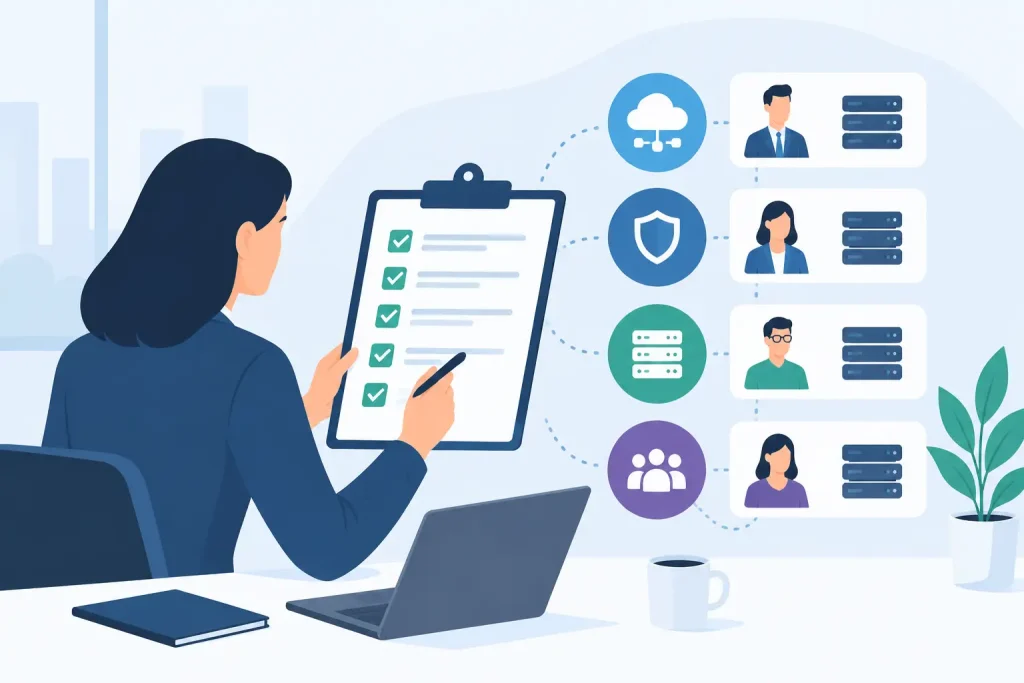
Read Other Articles

IT Vendor Consolidation That Actually Works

IT Vendor Consolidation That Actually Works

When an outage hits, most organizations do not have a technology problem first. They have an accountability problem. The circuit provider blames the firewall. The firewall vendor points to endpoint traffic. Internal IT is stuck chasing tickets across three support queues while operations waits for systems to come back online. That is why it vendor consolidation keeps coming up in boardrooms, budget meetings, and IT planning sessions. Done well, it reduces friction, shortens response time, and gives the business one team that owns the whole stack.

That said, consolidation is not automatically a win. If you collapse multiple vendors into one relationship without checking capability, coverage, and support depth, you can trade administrative complexity for operational risk. The real question is not whether fewer vendors are better. It is whether your vendor model supports uptime, security, scale, and fast decision-making.

What IT vendor consolidation really means

In practice, it vendor consolidation means reducing the number of separate providers involved in your technology environment and moving more responsibility under a coordinated operating model. That can include managed IT, internet connectivity, voice, Wi-Fi, cybersecurity, backup, cloud support, and help desk services. For multi-site organizations, it often also includes standardizing procurement, support workflows, and billing across locations.

The business case is straightforward. Every handoff between vendors creates delay. Every separate contract adds management overhead. Every disconnected monitoring platform limits visibility. When the environment is fragmented, nobody sees the full picture and nobody is fully accountable for outcomes.

Consolidation addresses that by narrowing the field. Instead of coordinating five or six providers with different service levels, escalation paths, and renewal cycles, the business works through one primary partner or a tightly managed smaller set. That does not mean buying everything from a single logo at all costs. It means reducing unnecessary fragmentation and aligning ownership with business risk.

Why fragmented vendor models fail under pressure

Fragmentation can look manageable during normal operations. Invoices get paid, tickets eventually close, and each provider handles its assigned scope. The model starts breaking down when an issue crosses boundaries, which is exactly what most serious incidents do.

A voice quality problem may trace back to bandwidth contention. Slow application performance may be tied to DNS, endpoint health, or a misconfigured switch. Security incidents rarely stay in one lane. They touch email, identity, endpoints, network controls, user behavior, and response procedures at the same time. If each layer is owned by a different vendor with limited visibility, diagnosis slows down and accountability gets diluted.

For healthcare, senior living, retail, finance, education, and property operations, that delay is not just annoying. It affects revenue, compliance, safety, and customer experience. A store cannot process transactions. A campus loses connectivity. A care facility struggles with communications. A property team cannot support residents. This is where vendor sprawl becomes a business continuity issue, not just a procurement issue.

The real benefits of IT vendor consolidation

The strongest benefit is clearer accountability. When one team owns more of the environment, there is less room for finger-pointing and less time wasted managing provider conflict. That matters most during incidents, but it also improves routine execution such as moves, adds, changes, renewals, and site openings.

The second benefit is operational speed. Fewer vendors means fewer procurement cycles, fewer escalations, and fewer parallel conversations. Support becomes easier to route. Standards become easier to enforce. Reporting becomes easier to interpret. Finance also benefits because billing can be organized around a smaller number of contracts with more predictable recurring costs.

There is also a technical upside. A consolidated environment is usually easier to secure and monitor because tools, policies, and response plans can be aligned across endpoints, networks, circuits, voice, and cloud services. That does not guarantee better security, but it removes many of the gaps that appear when different providers manage adjacent systems in isolation.

For growing organizations, consolidation can improve scalability as well. Bringing a new location online is easier when internet, Wi-Fi, voice, security, and support are designed around a common framework rather than assembled from scratch each time.

Where consolidation goes wrong

Not every service should be consolidated blindly. Some organizations overcorrect and push everything into a single provider relationship without confirming that provider has the engineering depth to support all layers well. A firm may be strong in help desk and weak in carrier management. Another may understand circuits and voice but lack mature cybersecurity capabilities. One contract is not the same thing as one competent operator.

There is also a concentration risk. If your consolidated provider underperforms, the blast radius is larger because more services sit under the same umbrella. That is why governance matters. Consolidation should simplify operations, not reduce leverage or eliminate technical scrutiny.

Pricing can also be misleading. On paper, consolidation often looks cheaper because vendors package services together. But if the scope is vague, support boundaries are unclear, or performance commitments are weak, the lower monthly number may hide higher disruption costs later. Cheap coordination is still expensive if outages last longer.

How to evaluate an IT vendor consolidation strategy

Start with your operational pain, not a vendor pitch. Look at recurring issues such as outage resolution delays, unclear escalation ownership, inconsistent site standards, overlapping tools, support gaps after hours, and billing sprawl. Those are signs that the current model is creating drag.

Then map your environment by responsibility, not just by product. Who owns connectivity? Who manages firewalls? Who handles endpoint support? Who responds during a security event? Who coordinates circuit carriers across locations? Most organizations find that support accountability is far more fragmented than they realized.

From there, identify which services are tightly interdependent and would benefit most from common ownership. Network, internet, Wi-Fi, voice, and security often belong in that category because issues regularly cut across those layers. Help desk and endpoint management also fit well when user support is expected to coordinate with infrastructure changes.

When assessing providers, ask hard operational questions. How do they triage cross-platform issues? Who owns carrier escalations? What visibility do they have across circuits, firewalls, switching, wireless, and endpoints? What are the response commitments, and how are they measured? Can they support multiple sites with standard configurations and documented processes? Real engineers should be part of that conversation, not just account managers.

A practical model for consolidating without creating new risk

The safest approach is usually phased consolidation. Start with the areas where handoffs are hurting performance most. For many organizations, that is internet connectivity, network infrastructure, voice, and managed IT support. These layers are heavily interdependent and highly visible when they fail.

Next, standardize monitoring, ticketing, escalation paths, and reporting. This is where consolidation starts delivering real value. If you still have separate portals, separate response rules, and disconnected incident ownership, then you have reduced vendor count without actually improving operations.

After that, address security and continuity. Consolidating endpoint controls, firewall oversight, backup, disaster recovery planning, and incident response coordination can close major gaps, but only if the provider has the maturity to support those services properly. If not, a hybrid model may be smarter.

That is the nuance many companies miss. Good it vendor consolidation does not always mean one provider for everything. It means one accountable operating structure with clear ownership, strong interoperability, and minimal dead space between services.

What decision-makers should watch during transition

Transition risk is real. Contracts overlap. Legacy providers may control credentials, documentation, or carrier relationships. Site-specific exceptions can complicate standardization. Users may feel disruption if communication is poor.

The best transitions are run like infrastructure projects, not purchasing exercises. Inventory comes first. Dependencies are documented. Cutovers are staged. Escalation trees are defined before anything moves. If a provider cannot show a clear migration and governance process, they are probably not ready to own a larger portion of your environment.

This is where a single-source partner can make a measurable difference, especially for multi-site and mission-critical organizations. When one team owns managed IT alongside connectivity, voice, and network infrastructure, support becomes more direct and operational blind spots shrink. That is the model Southeast Networks is built around, because uptime rarely depends on one isolated system. It depends on how the whole environment is managed together.

The goal is not to have fewer vendor logos for the sake of simplicity. The goal is to create an environment where problems get solved faster, standards hold across locations, and the business is not stuck coordinating technical disputes during an outage. If your current vendor stack makes every serious issue harder than it should be, that is your signal. Consolidate where accountability improves – and keep enough discipline in the process to make sure the new model can carry the weight.

Backup and Failover Internet Explained

Backup and Failover Internet Explained

A five-minute internet outage rarely stays a five-minute business problem. Phones stop ringing through, payment systems hang, cloud apps time out, and staff shift from serving customers to troubleshooting workarounds. That is why backup and failover internet has moved from a nice-to-have to a core part of business continuity planning for organizations that depend on connected systems.

For many businesses, the question is no longer whether an outage will happen. It is how much disruption the business can absorb when it does. The answer depends on your environment, your tolerance for downtime, and whether your connectivity design reflects how your organization actually operates.

What backup and failover internet actually means

Backup and failover internet is often discussed as if it is one thing, but there are two distinct ideas inside it. Backup internet refers to a secondary connection that is available if the primary circuit goes down. Failover refers to the mechanism that detects the outage and shifts traffic to that secondary path.

That difference matters. A business can have a backup circuit on paper and still experience a major outage if someone has to log in, change routing, reboot equipment, or call a carrier before traffic moves. In practical terms, real resilience comes from both pieces working together – a secondary connection and an automatic, tested failover process.

The most common design uses a primary wired circuit such as fiber, cable, or dedicated Ethernet, paired with a secondary service from a different provider or medium. In some environments, the backup path is another wired circuit. In others, it is fixed wireless or cellular. The right answer depends on what kind of failure you are trying to survive.

Why primary internet alone is not enough

Business leaders sometimes assume that buying a high-speed circuit from a reputable carrier is the same as buying reliability. It is not. A primary internet service can still fail because of carrier maintenance, upstream routing issues, damaged fiber, local construction, power events, hardware failure, or congestion affecting voice and cloud traffic.

There is also a concentration risk that many organizations miss. If both your primary and backup services rely on the same last-mile path, the same utility pole route, or the same upstream provider, you may have paid for redundancy without actually reducing risk. On a quote sheet, two circuits can look independent. In the field, they may share the same weak point.

This is where engineering matters more than bandwidth. A resilient internet design starts with understanding dependencies, not just speeds and monthly cost.

Where backup and failover internet matters most

Some industries feel outages as an inconvenience. Others feel them immediately in revenue, safety, compliance, or resident and customer experience.

Healthcare and senior living environments depend on stable connectivity for clinical platforms, communications, connected devices, and administrative systems. A disruption does not just slow work down. It can interrupt care coordination and create risk during already time-sensitive processes.

Retail and hospitality operations have little tolerance for POS downtime, failed card transactions, broken guest Wi-Fi, or disconnected voice systems. Even short interruptions can trigger lost sales and visible customer frustration.

Private education, financial organizations, and multi-site businesses face a different pressure. Their connectivity has to support secure access, cloud applications, and predictable operations across distributed locations. If one site fails over poorly or inconsistently, the business impact can spread well beyond that location.

Commercial properties and multifamily portfolios also depend on internet stability in ways that are easy to underestimate. Building operations, access systems, tenant services, leasing workflows, and property teams all rely on connected platforms. In these environments, internet uptime directly affects occupancy experience and operating efficiency.

Common backup connection options

There is no universal best backup circuit. The right fit comes down to risk profile, site conditions, application requirements, and budget.

A second wired connection can provide strong performance and stable throughput, especially for locations where voice, VPN traffic, large file transfers, or cloud applications must continue with minimal degradation. But this only works as true redundancy if the secondary path is physically and logically diverse from the primary.

Fixed wireless can be a strong option when fiber diversity is limited or construction timelines make a second wired circuit impractical. It can also reduce dependency on the local wired plant. Performance depends heavily on line of sight, local conditions, and provider design.

Cellular failover is often the fastest and most flexible way to add resilience, especially for branch sites, temporary locations, or organizations that need rapid deployment. It is not always the right long-term answer for high-volume traffic, and data usage costs can become a factor. Still, for many businesses, a properly designed 4G or 5G failover path is far better than having no continuity plan at all.

Automatic failover is only as good as the policy behind it

Many outages are not full hard-down events. A circuit can stay technically online while delivering poor performance, high latency, packet loss, or unstable routing. If your failover policy only reacts when the primary line is completely dead, users may still experience a major disruption even though the system never switches.

That is why failover design should account for service quality, not just link state. Voice traffic, cloud applications, VPN sessions, and guest traffic do not all need the same treatment during an event. In some environments, critical applications should move first while lower-priority traffic is rate-limited or temporarily restricted.

This is also where many do-it-yourself designs fall short. It is easy to configure a secondary circuit. It is harder to define sensible thresholds, preserve security policies, maintain VPN continuity, and make sure the business keeps functioning the way leadership expects during an outage.

The trade-offs businesses should plan for

Backup and failover internet improves resilience, but it does not erase every risk. The secondary connection may offer less bandwidth than the primary. That can be completely acceptable if the goal is to preserve operations for critical systems rather than maintain full normal performance for every user and application.

There is also a cost trade-off. Some organizations need active-active connectivity with high-capacity diverse circuits and sophisticated traffic steering. Others need a simpler primary-plus-cellular design that protects the site from common outages without overbuilding the solution. The mistake is not choosing the cheaper option. The mistake is choosing without understanding the operational consequences.

Testing is another non-negotiable. A failover configuration that has never been tested under real conditions is an assumption, not a continuity plan. Planned validation should confirm that traffic shifts as expected, voice quality remains acceptable, security rules stay in place, alerts reach the right people, and failback to the primary circuit happens cleanly.

What to look for in a managed solution

For most business and institutional environments, the challenge is not just sourcing circuits. It is coordinating carriers, edge hardware, security policies, monitoring, escalation paths, and support ownership across the whole environment.

That is why many organizations move toward a managed model. They want one team that owns the whole stack instead of multiple vendors pointing at each other during an outage. A well-managed backup and failover internet solution should include circuit diversity planning, carrier-neutral sourcing, properly configured edge equipment, proactive monitoring, documented response procedures, and real support when something breaks.

Just as important, the design should match the business. A surgery center, a call-heavy retail operation, and a private school do not have the same outage profile. The right partner will ask what systems matter most, what downtime costs, what compliance considerations exist, and how each site actually operates before recommending architecture.

This is where Southeast Networks’ approach reflects what many organizations need now – integrated accountability across internet, networking, voice, and IT support, rather than disconnected pieces managed by separate providers.

Questions worth asking before you buy

Before approving any internet resilience project, decision-makers should push past the marketing language and ask practical questions. Are the primary and backup paths truly diverse? What conditions trigger failover? Which applications are prioritized during an event? How is performance monitored? Who owns carrier escalation? How often is failover tested? What happens when the primary circuit returns?

Those questions quickly reveal whether you are buying a real continuity solution or just a second bill from another provider.

Backup and failover internet as an operational decision

The best way to think about backup and failover internet is not as an IT accessory, but as an operational control. It protects revenue, customer experience, internal productivity, and business continuity when a dependency fails. In some industries, it also protects compliance posture and life-safety-adjacent workflows.

The right design is rarely the most complicated one. It is the one built around your actual risk, with clear ownership and no ambiguity when the primary connection fails. If your business depends on being online, your internet strategy should assume disruption and be ready for it before the outage starts.

Cyber Insurance Security Requirements Explained

Cyber Insurance Security Requirements Explained

Your renewal questionnaire used to ask a few broad questions about antivirus and backups. Now it asks whether MFA covers every remote access path, whether privileged accounts are segmented, and how quickly critical patches are applied. That shift is why cyber insurance security requirements now carry real operational weight. They are no longer a formality for finance to handle once a year. They are a live test of whether your environment can withstand a ransomware event, email compromise, or a failed recovery.

For many organizations, the surprise is not that insurers want better controls. It is how specific those controls have become, and how quickly missing one can affect premiums, exclusions, or coverage availability. If your business depends on uptime, handles regulated data, or operates across multiple sites, those requirements are effectively a security baseline with financial consequences.

Why cyber insurance security requirements changed

Insurers did not tighten standards on principle. They tightened them because losses climbed and too many insured organizations had preventable gaps. A company with weak email security, shared admin credentials, and untested backups is statistically more likely to have a claim, and a more expensive one.

That has changed underwriting. Carriers now ask for evidence that core controls are in place and actually enforced. In some cases, they also validate your answers through external scans, loss history review, and follow-up interviews. If your application says MFA is enabled but remote access still allows a bypass, that mismatch can become a problem at renewal and an even bigger problem during a claim review.

This is where operations and insurance start to overlap. Security controls are no longer just technical best practices. They affect insurability, premium stability, and whether a claim gets challenged after an incident.

The security controls insurers ask about most

The details vary by carrier and industry, but most cyber insurance security requirements now center on a predictable set of controls.

Multi-factor authentication is the first screen

MFA is often the control underwriters care about most, especially for email, remote access, VPNs, cloud applications, and privileged accounts. They are not asking whether MFA exists somewhere in the environment. They want to know where it is mandatory, whether it applies to administrators, and whether legacy protocols or exceptions create a back door.

A business might honestly believe it has MFA in place because Microsoft 365 prompts users occasionally. That is not the same as proving MFA is enforced consistently across all high-risk access points. The distinction matters.

Endpoint protection and monitoring must be current

Traditional antivirus language still appears on some forms, but insurers increasingly expect managed endpoint detection and response or something close to it. They want confidence that malicious behavior can be detected, contained, and investigated quickly.

The trade-off here is cost versus visibility. A lower-cost endpoint tool may satisfy a checkbox in some cases, but it may not provide the telemetry or response capability needed when an event starts spreading across users and locations. Carriers understand that difference better than they did a few years ago.

Backups must be protected, not just present

Nearly every organization says it has backups. Underwriters now ask tougher follow-up questions because backups that are connected, untested, or accessible with the same compromised credentials may fail when needed most.

Expect questions about backup frequency, offline or immutable copies, access controls, and restoration testing. If a ransomware incident locks production systems and also encrypts the backup repository, your recovery plan is weaker than it appears on paper.

Patch management is becoming a business issue

Insurers want to know how quickly critical vulnerabilities are patched, particularly on internet-facing systems, firewalls, operating systems, and commonly targeted applications. They are looking for discipline, not perfection.

A large distributed environment may not patch every system in 24 hours, and most underwriters know that. What they want to avoid is unmanaged delay, unknown asset inventory, and unsupported systems that stay exposed for months. If your environment includes multiple sites, medical devices, point-of-sale systems, or specialized line-of-business applications, documenting patch exceptions and compensating controls becomes important.

Email security and user protection matter more than ever

Business email compromise remains one of the fastest ways to trigger financial loss. That is why application forms often ask about phishing defenses, mailbox security, domain protection, user training, and incident response procedures.

Training alone is not enough. Insurers increasingly expect a layered approach: secure email filtering, MFA, conditional access where appropriate, and controls around wire transfers or account changes. A finance workflow that still relies on email-only approval can create risk that no awareness program will fully offset.

Privileged access needs tighter control

Shared admin accounts, standing domain admin rights, and inconsistent access reviews are now harder to defend. Underwriters are paying closer attention to how privileged access is granted, limited, and monitored.

This is one area where many organizations discover that convenience has been driving policy. If IT staff, vendors, or internal power users retain broad access longer than necessary, the exposure increases. Role-based access, separate admin accounts, logging, and periodic review all help reduce that risk.

What underwriters are really evaluating

The application is not just measuring whether you bought security tools. It is measuring whether your organization operates with control. There is a difference.

An insurer sees better risk in a company that can clearly explain who owns patching, how incidents escalate after hours, how backups are tested, and how vendor access is approved. That kind of operating maturity matters because most claims do not come from a total absence of technology. They come from gaps between tools, teams, and accountability.

That is especially true in multi-vendor environments. If one provider handles endpoints, another manages firewalls, another oversees internet circuits, and nobody owns the whole stack, issues fall into the cracks. A questionnaire may expose that fragmentation quickly. One team says MFA is handled by identity management. Another assumes the MSP handles email security. A third manages backups but does not run restore tests. The business ends up insured on paper and exposed in practice.

How to prepare before renewal

The worst time to interpret cyber insurance security requirements is when a renewal notice is already on your desk. By then, there is little room to close gaps carefully or budget for changes.

Start by reviewing your last application against your current environment. Look for places where the business has changed since the last cycle – new locations, acquisitions, remote access methods, cloud platforms, vendors, or regulated data. Then validate each control with technical evidence, not assumptions.

If MFA is required, confirm enforcement across every applicable system. If backups are claimed, verify immutability, access restriction, and restoration testing. If patching is described as centralized, make sure the reporting supports that statement. This is not just underwriting prep. It is claim defensibility.

It also helps to separate high-impact controls from longer-term improvements. MFA, privileged access restrictions, secure backups, and endpoint monitoring typically have immediate underwriting value. Broader projects like network segmentation or architecture redesign may still matter, but they usually take longer and should be framed as part of a managed security roadmap.

Common mistakes that create coverage problems

The first mistake is over-answering with optimism. If a control is partially deployed, say so and explain the rollout status. A confident but inaccurate answer can age badly after an incident.

The second mistake is treating the policy as a finance document instead of an operating document. Cyber coverage depends on technical facts. Security, IT, compliance, operations, and finance should all have input before the application is submitted.

The third mistake is ignoring exclusions and sublimits. Some carriers may offer terms that look acceptable until you realize social engineering loss has a lower limit, or ransomware payments require specific controls to have been in place. It depends on the policy language, but the security architecture and the policy structure should be reviewed together.

The practical standard businesses should aim for

The goal is not to engineer your environment around a single insurance form. The better target is a security program that can satisfy most reasonable underwriting scrutiny because the fundamentals are already in place.

That usually means one accountable operating model, documented control ownership, consistent standards across locations, and evidence that security is maintained rather than assumed. For many organizations, that is where an integrated partner adds value. When one team owns the full environment – connectivity, infrastructure, endpoint management, security layers, recovery planning, and support – it becomes easier to answer underwriter questions with confidence and back them up with proof.

Cyber insurance is still insurance. It helps transfer a portion of financial risk. But carriers are making it clear that the policy is not a substitute for discipline. The organizations that fare best are the ones that treat cyber insurance security requirements as a useful pressure test. If the questionnaire exposes uncertainty, that is not just an insurance issue. It is an operations issue worth fixing before an attacker finds the same gap.

How It Works

Getting Started Is Simple

Assess

We review your current IT, network, and carrier contracts.

Design

We build a tailored IT + connectivity plan and quote.

deploy_img

Deploy

We handle migration, implementation, and cutover.

support_img

Support

Ongoing monitoring, support, and improvements.

Scroll to Top