
A phone outage at a front desk, nurse station, leasing office, or customer service queue is not a minor inconvenience. It is an operational failure that affects revenue, response times, and trust. That is why many organizations evaluating voip phone systems for business are not really shopping for dial tone. They are trying to reduce risk, simplify support, and make sure voice stays available when the day gets messy.
For most companies, the real decision is not whether VoIP works. It does. The harder question is whether the full environment behind it is engineered to perform under load, across locations, and during disruptions. Voice depends on internet circuits, internal switching, Wi-Fi design, firewall policy, failover strategy, endpoint quality, and support accountability. If those pieces are fragmented across multiple vendors, phone service usually inherits the same fragmentation.
Why voip phone systems for business became the standard
Traditional phone systems were built around fixed lines, on-premise hardware, and a support model that often lagged behind the needs of modern operations. Businesses with multiple sites, remote staff, seasonal changes, or evolving call flows quickly ran into limits. Moves, adds, and changes took too long. Visibility was poor. Scaling meant more hardware, more contracts, and more friction.
VoIP changed that by moving voice onto data networks and cloud-managed platforms. That shift created practical advantages. Organizations can route calls between sites, support hybrid teams, add users faster, and standardize call handling across departments. Finance teams usually appreciate the cleaner cost model, while operations teams value centralized administration and more flexible business continuity options.
Still, the move to VoIP is not automatically a step forward. If bandwidth is inconsistent, if quality of service is not configured correctly, or if support ownership is split between a phone vendor, an ISP, and internal IT, the business may trade one set of problems for another. The platform matters, but the operating environment matters just as much.
What businesses actually need from a VoIP system
The feature checklist gets a lot of attention, but most organizations should start with performance expectations. Call quality, uptime, survivability, and support responsiveness are the non-negotiables. Features only create value when the service is reliable enough for staff to trust it.
A healthcare group may need hunt groups, paging, desk phones, softphones, and failover routing that protects patient communication during a circuit issue. A senior living operator may need clear internal calling and dependable external access across several buildings. A retail chain may care about call routing by location, after-hours handling, and rapid replacement when an endpoint fails. A financial office may prioritize recording policies, secure administration, and predictable escalation when service quality changes.
These are different use cases, but they share the same requirement: voice has to work as part of the broader infrastructure, not as a disconnected application.
Reliability starts with the network
VoIP is unforgiving when the underlying network is unstable. A file transfer can tolerate delay. A voice conversation cannot. Jitter, latency, packet loss, and poor Wi-Fi coverage show up immediately as clipped audio, one-way speech, echo, or dropped calls.
That is why any serious evaluation of voip phone systems for business should include a review of circuits, switching, wireless design, and traffic prioritization. If the business has multiple sites, the assessment should also look at how calls are routed between locations and what happens if a primary connection fails. In many environments, a secondary circuit or wireless backup is not optional. It is the difference between degradation and downtime.
Security is part of voice now
Voice is no longer separate from the security conversation. Internet-based calling introduces exposure points that older analog systems did not have in the same way. Misconfigured devices, weak admin controls, poor segmentation, and unmonitored endpoints can create risk. Toll fraud, account compromise, and service disruption are real concerns.
That does not mean VoIP is inherently unsafe. It means it needs the same discipline applied to the rest of the environment. Secure provisioning, strong authentication, segmented networks, policy-based firewalls, monitored endpoints, and controlled administrative access should be standard practice. For regulated organizations, voice retention and call handling may also intersect with compliance requirements, which should be addressed early rather than patched in later.
Cloud, hybrid, or on-premise: what fits best?
Most businesses now lean toward cloud-managed voice because it reduces hardware overhead and makes scaling easier. New users can be added without major site work, software updates are simpler, and distributed teams are easier to support. For many organizations, that model offers the best balance of flexibility and control.
Hybrid designs still make sense in some cases. A site with legacy paging, door systems, elevator phones, fax dependencies, or specialized analog devices may need a bridge between old and new. Some organizations also prefer to retain certain local components for operational reasons. There is nothing wrong with that approach if it is intentional and well supported.
Fully on-premise systems can still fit highly specific environments, but they usually demand more in-house management and make multi-site standardization harder. The trade-off is not just technical. It affects staffing, support burden, capital planning, and disaster recovery.
The right answer depends on how the business operates, what it can support internally, and how much resilience it expects during a disruption.
The hidden cost of fragmented support
Many phone projects look affordable on paper because the quote only reflects licenses and handsets. The real cost shows up later, when troubleshooting requires three vendors on the same call, each claiming the issue lives elsewhere.
That support model is expensive in time and disruption. If the provider manages voice but not the firewall, the ISP controls the circuit but not failover, and internal IT owns the LAN without visibility into call quality metrics, root cause analysis slows down fast. Meanwhile, users still cannot hear customers, transfers still fail, and the front office is still working around the problem.
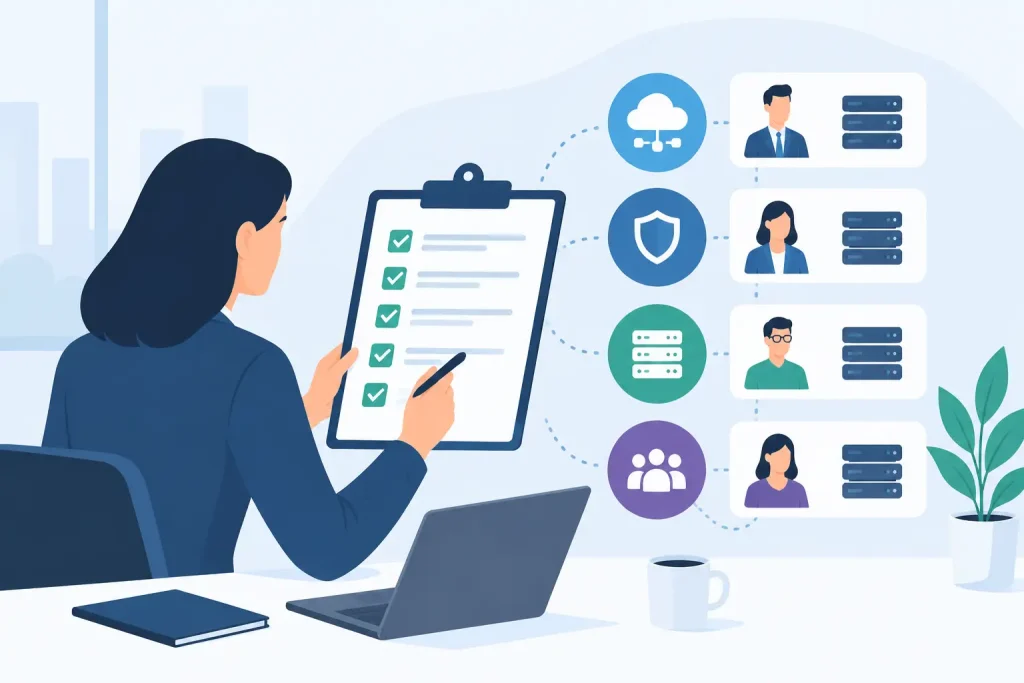
A better model is one team that owns the whole stack or, at minimum, can credibly manage the interaction between voice, network, and connectivity. That shortens escalation paths, improves accountability, and turns troubleshooting into execution instead of finger-pointing. It is one reason many organizations prefer a managed partner with both IT and carrier expertise rather than a standalone phone reseller.
What to evaluate before you switch
A successful rollout starts with a practical assessment, not a product demo. The business should understand current call flows, device needs, critical departments, analog dependencies, remote user requirements, and continuity expectations. It should also review internet performance by site and identify where redundancy is needed.
From there, design decisions become clearer. Some users need desk phones. Others work better with mobile or desktop apps. Some sites need local survivability. Others can rely on cloud routing if the WAN design is sound. Call recording, auto attendants, queue reporting, and paging integrations should be selected based on operating requirements, not because they appear in a standard bundle.
Training matters too. Even well-designed systems create frustration if end users do not understand transfers, voicemail access, mobile apps, or queue behavior. Rollouts should include clear cutover planning, user communication, and post-deployment support with real engineers, not a 1-800 black hole.
If your organization operates across healthcare, education, retail, multifamily, or financial environments, the deployment plan should also reflect the realities of those settings. Shared spaces, compliance concerns, staffing variability, and after-hours support all change what a good implementation looks like.
What good looks like after go-live
A strong VoIP environment should feel predictable. Calls are clear. Adding users is straightforward. Reporting is accessible. Admin changes do not require a weeks-long support cycle. If a circuit degrades, failover works as expected. If a handset fails, replacement and reconfiguration are handled quickly. If call quality slips, someone can trace the issue across the network and fix it without forcing the client to coordinate the investigation.
That level of stability rarely comes from buying the cheapest platform. It comes from treating voice as critical infrastructure and managing it accordingly. For organizations that depend on always-on operations, that distinction matters more than any feature matrix.
Southeast Networks works with businesses that need voice, connectivity, and IT managed as one environment, because that is usually how uptime is protected in the real world.
If you are evaluating phone systems, ask a simple question before comparing features: who owns the outcome when voice, network, and support all intersect at the worst possible moment?