
Insights

IT Vendor Consolidation That Actually Works

IT Vendor Consolidation That Actually Works

When an outage hits, most organizations do not have a technology problem first. They have an accountability problem. The circuit provider blames the firewall. The firewall vendor points to endpoint traffic. Internal IT is stuck chasing tickets across three support queues while operations waits for systems to come back online. That is why it vendor consolidation keeps coming up in boardrooms, budget meetings, and IT planning sessions. Done well, it reduces friction, shortens response time, and gives the business one team that owns the whole stack.

That said, consolidation is not automatically a win. If you collapse multiple vendors into one relationship without checking capability, coverage, and support depth, you can trade administrative complexity for operational risk. The real question is not whether fewer vendors are better. It is whether your vendor model supports uptime, security, scale, and fast decision-making.

What IT vendor consolidation really means

In practice, it vendor consolidation means reducing the number of separate providers involved in your technology environment and moving more responsibility under a coordinated operating model. That can include managed IT, internet connectivity, voice, Wi-Fi, cybersecurity, backup, cloud support, and help desk services. For multi-site organizations, it often also includes standardizing procurement, support workflows, and billing across locations.

The business case is straightforward. Every handoff between vendors creates delay. Every separate contract adds management overhead. Every disconnected monitoring platform limits visibility. When the environment is fragmented, nobody sees the full picture and nobody is fully accountable for outcomes.

Consolidation addresses that by narrowing the field. Instead of coordinating five or six providers with different service levels, escalation paths, and renewal cycles, the business works through one primary partner or a tightly managed smaller set. That does not mean buying everything from a single logo at all costs. It means reducing unnecessary fragmentation and aligning ownership with business risk.

Why fragmented vendor models fail under pressure

Fragmentation can look manageable during normal operations. Invoices get paid, tickets eventually close, and each provider handles its assigned scope. The model starts breaking down when an issue crosses boundaries, which is exactly what most serious incidents do.

A voice quality problem may trace back to bandwidth contention. Slow application performance may be tied to DNS, endpoint health, or a misconfigured switch. Security incidents rarely stay in one lane. They touch email, identity, endpoints, network controls, user behavior, and response procedures at the same time. If each layer is owned by a different vendor with limited visibility, diagnosis slows down and accountability gets diluted.

For healthcare, senior living, retail, finance, education, and property operations, that delay is not just annoying. It affects revenue, compliance, safety, and customer experience. A store cannot process transactions. A campus loses connectivity. A care facility struggles with communications. A property team cannot support residents. This is where vendor sprawl becomes a business continuity issue, not just a procurement issue.

The real benefits of IT vendor consolidation

The strongest benefit is clearer accountability. When one team owns more of the environment, there is less room for finger-pointing and less time wasted managing provider conflict. That matters most during incidents, but it also improves routine execution such as moves, adds, changes, renewals, and site openings.

The second benefit is operational speed. Fewer vendors means fewer procurement cycles, fewer escalations, and fewer parallel conversations. Support becomes easier to route. Standards become easier to enforce. Reporting becomes easier to interpret. Finance also benefits because billing can be organized around a smaller number of contracts with more predictable recurring costs.

There is also a technical upside. A consolidated environment is usually easier to secure and monitor because tools, policies, and response plans can be aligned across endpoints, networks, circuits, voice, and cloud services. That does not guarantee better security, but it removes many of the gaps that appear when different providers manage adjacent systems in isolation.

For growing organizations, consolidation can improve scalability as well. Bringing a new location online is easier when internet, Wi-Fi, voice, security, and support are designed around a common framework rather than assembled from scratch each time.

Where consolidation goes wrong

Not every service should be consolidated blindly. Some organizations overcorrect and push everything into a single provider relationship without confirming that provider has the engineering depth to support all layers well. A firm may be strong in help desk and weak in carrier management. Another may understand circuits and voice but lack mature cybersecurity capabilities. One contract is not the same thing as one competent operator.

There is also a concentration risk. If your consolidated provider underperforms, the blast radius is larger because more services sit under the same umbrella. That is why governance matters. Consolidation should simplify operations, not reduce leverage or eliminate technical scrutiny.

Pricing can also be misleading. On paper, consolidation often looks cheaper because vendors package services together. But if the scope is vague, support boundaries are unclear, or performance commitments are weak, the lower monthly number may hide higher disruption costs later. Cheap coordination is still expensive if outages last longer.

How to evaluate an IT vendor consolidation strategy

Start with your operational pain, not a vendor pitch. Look at recurring issues such as outage resolution delays, unclear escalation ownership, inconsistent site standards, overlapping tools, support gaps after hours, and billing sprawl. Those are signs that the current model is creating drag.

Then map your environment by responsibility, not just by product. Who owns connectivity? Who manages firewalls? Who handles endpoint support? Who responds during a security event? Who coordinates circuit carriers across locations? Most organizations find that support accountability is far more fragmented than they realized.

From there, identify which services are tightly interdependent and would benefit most from common ownership. Network, internet, Wi-Fi, voice, and security often belong in that category because issues regularly cut across those layers. Help desk and endpoint management also fit well when user support is expected to coordinate with infrastructure changes.

When assessing providers, ask hard operational questions. How do they triage cross-platform issues? Who owns carrier escalations? What visibility do they have across circuits, firewalls, switching, wireless, and endpoints? What are the response commitments, and how are they measured? Can they support multiple sites with standard configurations and documented processes? Real engineers should be part of that conversation, not just account managers.

A practical model for consolidating without creating new risk

The safest approach is usually phased consolidation. Start with the areas where handoffs are hurting performance most. For many organizations, that is internet connectivity, network infrastructure, voice, and managed IT support. These layers are heavily interdependent and highly visible when they fail.

Next, standardize monitoring, ticketing, escalation paths, and reporting. This is where consolidation starts delivering real value. If you still have separate portals, separate response rules, and disconnected incident ownership, then you have reduced vendor count without actually improving operations.

After that, address security and continuity. Consolidating endpoint controls, firewall oversight, backup, disaster recovery planning, and incident response coordination can close major gaps, but only if the provider has the maturity to support those services properly. If not, a hybrid model may be smarter.

That is the nuance many companies miss. Good it vendor consolidation does not always mean one provider for everything. It means one accountable operating structure with clear ownership, strong interoperability, and minimal dead space between services.

What decision-makers should watch during transition

Transition risk is real. Contracts overlap. Legacy providers may control credentials, documentation, or carrier relationships. Site-specific exceptions can complicate standardization. Users may feel disruption if communication is poor.

The best transitions are run like infrastructure projects, not purchasing exercises. Inventory comes first. Dependencies are documented. Cutovers are staged. Escalation trees are defined before anything moves. If a provider cannot show a clear migration and governance process, they are probably not ready to own a larger portion of your environment.

This is where a single-source partner can make a measurable difference, especially for multi-site and mission-critical organizations. When one team owns managed IT alongside connectivity, voice, and network infrastructure, support becomes more direct and operational blind spots shrink. That is the model Southeast Networks is built around, because uptime rarely depends on one isolated system. It depends on how the whole environment is managed together.

The goal is not to have fewer vendor logos for the sake of simplicity. The goal is to create an environment where problems get solved faster, standards hold across locations, and the business is not stuck coordinating technical disputes during an outage. If your current vendor stack makes every serious issue harder than it should be, that is your signal. Consolidate where accountability improves – and keep enough discipline in the process to make sure the new model can carry the weight.

Backup and Failover Internet Explained

Backup and Failover Internet Explained

A five-minute internet outage rarely stays a five-minute business problem. Phones stop ringing through, payment systems hang, cloud apps time out, and staff shift from serving customers to troubleshooting workarounds. That is why backup and failover internet has moved from a nice-to-have to a core part of business continuity planning for organizations that depend on connected systems.

For many businesses, the question is no longer whether an outage will happen. It is how much disruption the business can absorb when it does. The answer depends on your environment, your tolerance for downtime, and whether your connectivity design reflects how your organization actually operates.

What backup and failover internet actually means

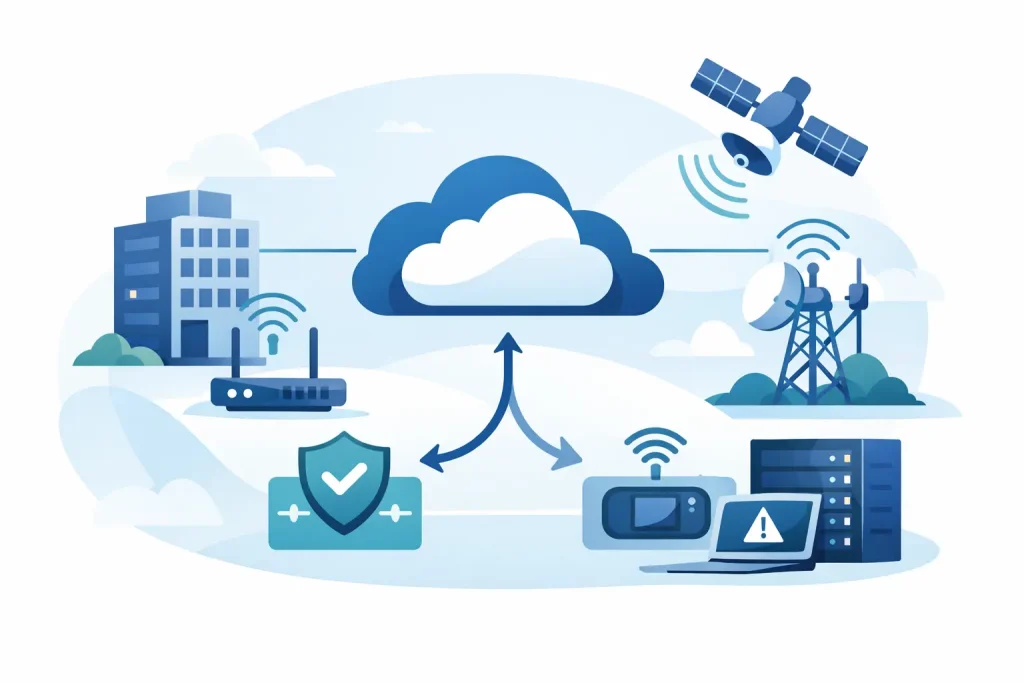
Backup and failover internet is often discussed as if it is one thing, but there are two distinct ideas inside it. Backup internet refers to a secondary connection that is available if the primary circuit goes down. Failover refers to the mechanism that detects the outage and shifts traffic to that secondary path.

That difference matters. A business can have a backup circuit on paper and still experience a major outage if someone has to log in, change routing, reboot equipment, or call a carrier before traffic moves. In practical terms, real resilience comes from both pieces working together – a secondary connection and an automatic, tested failover process.

The most common design uses a primary wired circuit such as fiber, cable, or dedicated Ethernet, paired with a secondary service from a different provider or medium. In some environments, the backup path is another wired circuit. In others, it is fixed wireless or cellular. The right answer depends on what kind of failure you are trying to survive.

Why primary internet alone is not enough

Business leaders sometimes assume that buying a high-speed circuit from a reputable carrier is the same as buying reliability. It is not. A primary internet service can still fail because of carrier maintenance, upstream routing issues, damaged fiber, local construction, power events, hardware failure, or congestion affecting voice and cloud traffic.

There is also a concentration risk that many organizations miss. If both your primary and backup services rely on the same last-mile path, the same utility pole route, or the same upstream provider, you may have paid for redundancy without actually reducing risk. On a quote sheet, two circuits can look independent. In the field, they may share the same weak point.

This is where engineering matters more than bandwidth. A resilient internet design starts with understanding dependencies, not just speeds and monthly cost.

Where backup and failover internet matters most

Some industries feel outages as an inconvenience. Others feel them immediately in revenue, safety, compliance, or resident and customer experience.

Healthcare and senior living environments depend on stable connectivity for clinical platforms, communications, connected devices, and administrative systems. A disruption does not just slow work down. It can interrupt care coordination and create risk during already time-sensitive processes.

Retail and hospitality operations have little tolerance for POS downtime, failed card transactions, broken guest Wi-Fi, or disconnected voice systems. Even short interruptions can trigger lost sales and visible customer frustration.

Private education, financial organizations, and multi-site businesses face a different pressure. Their connectivity has to support secure access, cloud applications, and predictable operations across distributed locations. If one site fails over poorly or inconsistently, the business impact can spread well beyond that location.

Commercial properties and multifamily portfolios also depend on internet stability in ways that are easy to underestimate. Building operations, access systems, tenant services, leasing workflows, and property teams all rely on connected platforms. In these environments, internet uptime directly affects occupancy experience and operating efficiency.

Common backup connection options

There is no universal best backup circuit. The right fit comes down to risk profile, site conditions, application requirements, and budget.

A second wired connection can provide strong performance and stable throughput, especially for locations where voice, VPN traffic, large file transfers, or cloud applications must continue with minimal degradation. But this only works as true redundancy if the secondary path is physically and logically diverse from the primary.

Fixed wireless can be a strong option when fiber diversity is limited or construction timelines make a second wired circuit impractical. It can also reduce dependency on the local wired plant. Performance depends heavily on line of sight, local conditions, and provider design.

Cellular failover is often the fastest and most flexible way to add resilience, especially for branch sites, temporary locations, or organizations that need rapid deployment. It is not always the right long-term answer for high-volume traffic, and data usage costs can become a factor. Still, for many businesses, a properly designed 4G or 5G failover path is far better than having no continuity plan at all.

Automatic failover is only as good as the policy behind it

Many outages are not full hard-down events. A circuit can stay technically online while delivering poor performance, high latency, packet loss, or unstable routing. If your failover policy only reacts when the primary line is completely dead, users may still experience a major disruption even though the system never switches.

That is why failover design should account for service quality, not just link state. Voice traffic, cloud applications, VPN sessions, and guest traffic do not all need the same treatment during an event. In some environments, critical applications should move first while lower-priority traffic is rate-limited or temporarily restricted.

This is also where many do-it-yourself designs fall short. It is easy to configure a secondary circuit. It is harder to define sensible thresholds, preserve security policies, maintain VPN continuity, and make sure the business keeps functioning the way leadership expects during an outage.

The trade-offs businesses should plan for

Backup and failover internet improves resilience, but it does not erase every risk. The secondary connection may offer less bandwidth than the primary. That can be completely acceptable if the goal is to preserve operations for critical systems rather than maintain full normal performance for every user and application.

There is also a cost trade-off. Some organizations need active-active connectivity with high-capacity diverse circuits and sophisticated traffic steering. Others need a simpler primary-plus-cellular design that protects the site from common outages without overbuilding the solution. The mistake is not choosing the cheaper option. The mistake is choosing without understanding the operational consequences.

Testing is another non-negotiable. A failover configuration that has never been tested under real conditions is an assumption, not a continuity plan. Planned validation should confirm that traffic shifts as expected, voice quality remains acceptable, security rules stay in place, alerts reach the right people, and failback to the primary circuit happens cleanly.

What to look for in a managed solution

For most business and institutional environments, the challenge is not just sourcing circuits. It is coordinating carriers, edge hardware, security policies, monitoring, escalation paths, and support ownership across the whole environment.

That is why many organizations move toward a managed model. They want one team that owns the whole stack instead of multiple vendors pointing at each other during an outage. A well-managed backup and failover internet solution should include circuit diversity planning, carrier-neutral sourcing, properly configured edge equipment, proactive monitoring, documented response procedures, and real support when something breaks.

Just as important, the design should match the business. A surgery center, a call-heavy retail operation, and a private school do not have the same outage profile. The right partner will ask what systems matter most, what downtime costs, what compliance considerations exist, and how each site actually operates before recommending architecture.

This is where Southeast Networks’ approach reflects what many organizations need now – integrated accountability across internet, networking, voice, and IT support, rather than disconnected pieces managed by separate providers.

Questions worth asking before you buy

Before approving any internet resilience project, decision-makers should push past the marketing language and ask practical questions. Are the primary and backup paths truly diverse? What conditions trigger failover? Which applications are prioritized during an event? How is performance monitored? Who owns carrier escalation? How often is failover tested? What happens when the primary circuit returns?

Those questions quickly reveal whether you are buying a real continuity solution or just a second bill from another provider.

Backup and failover internet as an operational decision

The best way to think about backup and failover internet is not as an IT accessory, but as an operational control. It protects revenue, customer experience, internal productivity, and business continuity when a dependency fails. In some industries, it also protects compliance posture and life-safety-adjacent workflows.

The right design is rarely the most complicated one. It is the one built around your actual risk, with clear ownership and no ambiguity when the primary connection fails. If your business depends on being online, your internet strategy should assume disruption and be ready for it before the outage starts.

Cyber Insurance Security Requirements Explained

Cyber Insurance Security Requirements Explained

Your renewal questionnaire used to ask a few broad questions about antivirus and backups. Now it asks whether MFA covers every remote access path, whether privileged accounts are segmented, and how quickly critical patches are applied. That shift is why cyber insurance security requirements now carry real operational weight. They are no longer a formality for finance to handle once a year. They are a live test of whether your environment can withstand a ransomware event, email compromise, or a failed recovery.

For many organizations, the surprise is not that insurers want better controls. It is how specific those controls have become, and how quickly missing one can affect premiums, exclusions, or coverage availability. If your business depends on uptime, handles regulated data, or operates across multiple sites, those requirements are effectively a security baseline with financial consequences.

Why cyber insurance security requirements changed

Insurers did not tighten standards on principle. They tightened them because losses climbed and too many insured organizations had preventable gaps. A company with weak email security, shared admin credentials, and untested backups is statistically more likely to have a claim, and a more expensive one.

That has changed underwriting. Carriers now ask for evidence that core controls are in place and actually enforced. In some cases, they also validate your answers through external scans, loss history review, and follow-up interviews. If your application says MFA is enabled but remote access still allows a bypass, that mismatch can become a problem at renewal and an even bigger problem during a claim review.

This is where operations and insurance start to overlap. Security controls are no longer just technical best practices. They affect insurability, premium stability, and whether a claim gets challenged after an incident.

The security controls insurers ask about most

The details vary by carrier and industry, but most cyber insurance security requirements now center on a predictable set of controls.

Multi-factor authentication is the first screen

MFA is often the control underwriters care about most, especially for email, remote access, VPNs, cloud applications, and privileged accounts. They are not asking whether MFA exists somewhere in the environment. They want to know where it is mandatory, whether it applies to administrators, and whether legacy protocols or exceptions create a back door.

A business might honestly believe it has MFA in place because Microsoft 365 prompts users occasionally. That is not the same as proving MFA is enforced consistently across all high-risk access points. The distinction matters.

Endpoint protection and monitoring must be current

Traditional antivirus language still appears on some forms, but insurers increasingly expect managed endpoint detection and response or something close to it. They want confidence that malicious behavior can be detected, contained, and investigated quickly.

The trade-off here is cost versus visibility. A lower-cost endpoint tool may satisfy a checkbox in some cases, but it may not provide the telemetry or response capability needed when an event starts spreading across users and locations. Carriers understand that difference better than they did a few years ago.

Backups must be protected, not just present

Nearly every organization says it has backups. Underwriters now ask tougher follow-up questions because backups that are connected, untested, or accessible with the same compromised credentials may fail when needed most.

Expect questions about backup frequency, offline or immutable copies, access controls, and restoration testing. If a ransomware incident locks production systems and also encrypts the backup repository, your recovery plan is weaker than it appears on paper.

Patch management is becoming a business issue

Insurers want to know how quickly critical vulnerabilities are patched, particularly on internet-facing systems, firewalls, operating systems, and commonly targeted applications. They are looking for discipline, not perfection.

A large distributed environment may not patch every system in 24 hours, and most underwriters know that. What they want to avoid is unmanaged delay, unknown asset inventory, and unsupported systems that stay exposed for months. If your environment includes multiple sites, medical devices, point-of-sale systems, or specialized line-of-business applications, documenting patch exceptions and compensating controls becomes important.

Email security and user protection matter more than ever

Business email compromise remains one of the fastest ways to trigger financial loss. That is why application forms often ask about phishing defenses, mailbox security, domain protection, user training, and incident response procedures.

Training alone is not enough. Insurers increasingly expect a layered approach: secure email filtering, MFA, conditional access where appropriate, and controls around wire transfers or account changes. A finance workflow that still relies on email-only approval can create risk that no awareness program will fully offset.

Privileged access needs tighter control

Shared admin accounts, standing domain admin rights, and inconsistent access reviews are now harder to defend. Underwriters are paying closer attention to how privileged access is granted, limited, and monitored.

This is one area where many organizations discover that convenience has been driving policy. If IT staff, vendors, or internal power users retain broad access longer than necessary, the exposure increases. Role-based access, separate admin accounts, logging, and periodic review all help reduce that risk.

What underwriters are really evaluating

The application is not just measuring whether you bought security tools. It is measuring whether your organization operates with control. There is a difference.

An insurer sees better risk in a company that can clearly explain who owns patching, how incidents escalate after hours, how backups are tested, and how vendor access is approved. That kind of operating maturity matters because most claims do not come from a total absence of technology. They come from gaps between tools, teams, and accountability.

That is especially true in multi-vendor environments. If one provider handles endpoints, another manages firewalls, another oversees internet circuits, and nobody owns the whole stack, issues fall into the cracks. A questionnaire may expose that fragmentation quickly. One team says MFA is handled by identity management. Another assumes the MSP handles email security. A third manages backups but does not run restore tests. The business ends up insured on paper and exposed in practice.

How to prepare before renewal

The worst time to interpret cyber insurance security requirements is when a renewal notice is already on your desk. By then, there is little room to close gaps carefully or budget for changes.

Start by reviewing your last application against your current environment. Look for places where the business has changed since the last cycle – new locations, acquisitions, remote access methods, cloud platforms, vendors, or regulated data. Then validate each control with technical evidence, not assumptions.

If MFA is required, confirm enforcement across every applicable system. If backups are claimed, verify immutability, access restriction, and restoration testing. If patching is described as centralized, make sure the reporting supports that statement. This is not just underwriting prep. It is claim defensibility.

It also helps to separate high-impact controls from longer-term improvements. MFA, privileged access restrictions, secure backups, and endpoint monitoring typically have immediate underwriting value. Broader projects like network segmentation or architecture redesign may still matter, but they usually take longer and should be framed as part of a managed security roadmap.

Common mistakes that create coverage problems

The first mistake is over-answering with optimism. If a control is partially deployed, say so and explain the rollout status. A confident but inaccurate answer can age badly after an incident.

The second mistake is treating the policy as a finance document instead of an operating document. Cyber coverage depends on technical facts. Security, IT, compliance, operations, and finance should all have input before the application is submitted.

The third mistake is ignoring exclusions and sublimits. Some carriers may offer terms that look acceptable until you realize social engineering loss has a lower limit, or ransomware payments require specific controls to have been in place. It depends on the policy language, but the security architecture and the policy structure should be reviewed together.

The practical standard businesses should aim for

The goal is not to engineer your environment around a single insurance form. The better target is a security program that can satisfy most reasonable underwriting scrutiny because the fundamentals are already in place.

That usually means one accountable operating model, documented control ownership, consistent standards across locations, and evidence that security is maintained rather than assumed. For many organizations, that is where an integrated partner adds value. When one team owns the full environment – connectivity, infrastructure, endpoint management, security layers, recovery planning, and support – it becomes easier to answer underwriter questions with confidence and back them up with proof.

Cyber insurance is still insurance. It helps transfer a portion of financial risk. But carriers are making it clear that the policy is not a substitute for discipline. The organizations that fare best are the ones that treat cyber insurance security requirements as a useful pressure test. If the questionnaire exposes uncertainty, that is not just an insurance issue. It is an operations issue worth fixing before an attacker finds the same gap.

Why a Single Vendor Technology Partner Wins

Why a Single Vendor Technology Partner Wins

When the internet circuit is down, phones are unstable, users cannot access cloud apps, and no one knows whether the problem sits with the carrier, firewall, switch, or endpoint, the real issue is not just technical failure. It is fragmented ownership. A single vendor technology partner changes that equation by giving your organization one team that owns the whole stack and is accountable for the outcome.

For organizations with multiple locations, compliance pressure, and little tolerance for downtime, that shift matters. The question is not whether specialized tools still matter. They do. The question is who is responsible for making those tools work together, keeping them supported, and fixing problems fast when operations are on the line.

What a single vendor technology partner actually means

A single vendor technology partner is not simply a company that sells several services under one contract. It is an operating model. One partner assesses the environment, designs the solution, sources the right services, deploys the infrastructure, supports users, monitors performance, and stays accountable over time.

That model usually spans managed IT, networking, voice, internet connectivity, cybersecurity, and continuity planning. In stronger engagements, it also includes lifecycle planning, vendor escalation, site readiness, and budgeting support. The value is not only consolidation. It is coordinated execution.

Many businesses already have pieces of this in place, but across separate providers. One company handles the help desk. Another sells carrier circuits. A third manages voice. A fourth was brought in for security after an audit finding. On paper, each provider covers its lane. In practice, every issue that crosses those lanes creates delay, finger-pointing, and operational drag.

Why fragmented vendors create avoidable risk

Most technology outages are not neatly contained inside one product category. A user complaint about application slowness might trace back to Wi-Fi coverage, WAN congestion, DNS, endpoint health, or security policy conflicts. A phone system problem may actually be a bandwidth, QoS, or firewall issue. An access control interruption could be tied to switching, power, or a failed internet failover.

When different vendors own different layers, each sees only part of the environment. That limits diagnosis and slows resolution. Your internal staff or operations team becomes the coordinator by default, even if that was never their job.

The cost of that fragmentation is larger than monthly invoices. It shows up in lost productivity, delayed openings, frustrated staff, service disruptions, compliance exposure, and leadership time spent chasing updates. In healthcare, senior living, finance, education, and retail, those costs compound quickly because systems are directly tied to service delivery and customer experience.

A single partner does not eliminate every outage. No credible provider should promise that. But it does compress the path between incident, diagnosis, decision, and resolution because there is one accountable team with visibility across the environment.

The operational case for a single vendor technology partner

The strongest argument for a single vendor technology partner is operational control. One team has context on the network, endpoints, voice systems, internet circuits, security policies, and recovery design. That means fewer blind spots and faster decisions.

It also improves change management. When you add a site, roll out a new business application, upgrade Wi-Fi, or replace aging firewall infrastructure, changes in one area affect several others. A single partner can sequence those dependencies instead of leaving your staff to coordinate separate projects and support queues.

From a finance standpoint, consolidation can bring cleaner billing, clearer service boundaries, and better forecasting. That does not always mean the lowest line-item cost. In some cases, a specialized point solution from an independent vendor may appear cheaper. But lower unit cost is not the same as lower operating cost. If a cheaper service increases downtime, consumes internal labor, or creates repeated escalation loops, the total cost to the business rises.

There is also a governance benefit. Leadership teams want simple answers to practical questions: Who owns uptime? Who is tracking risk? Who is responsible for support responsiveness? Who is planning for lifecycle replacement before equipment failure turns into an outage? A strong single-source model gives those answers without forcing executives to assemble them from four different vendors.

Where the model works best – and where it depends

This approach tends to work best in environments where technology is distributed, business-critical, and difficult to pause. Multi-site operators are a clear fit because every added location multiplies provider coordination. So are organizations with lean internal IT teams that need outside engineering depth and field execution, not just remote ticket handling.

It is also a good fit for regulated or service-sensitive sectors where resilience matters as much as functionality. If your business depends on stable connectivity, secure access, voice reliability, documented support processes, and defined recovery paths, fragmented ownership is usually a weak operating model.

That said, it depends on the partner. Consolidating around the wrong provider creates a different kind of risk. If one vendor lacks engineering depth, has weak escalation processes, or pushes a narrow product set regardless of fit, the convenience of a single contract will not offset poor execution.

There are also cases where a hybrid model makes sense. Large enterprises with mature internal teams may keep strategic architecture in-house while outsourcing day-to-day operations and carrier management. Some organizations may retain a niche security consultancy for a specific compliance requirement while using one managed partner for the broader environment. The point is not forced consolidation. The point is clear accountability.

What to look for in a single vendor technology partner

The first test is whether the provider can truly support interconnected infrastructure rather than just resell adjacent services. Ask how they handle incidents that span internet, LAN, Wi-Fi, voice, endpoints, and security. If the answer sounds like a handoff chain, you are not looking at full-stack ownership.

Second, look for carrier neutrality and design flexibility. A serious partner should recommend the right connectivity and technology mix for the site, not just whatever they happen to sell most often. That matters for multi-site organizations where location constraints, failover needs, and local carrier availability vary.

Third, assess support maturity. Real accountability means named processes, measurable response commitments, escalation discipline, and engineers who can work the issue through to resolution. Real engineers, not a 1-800 black hole.

Fourth, evaluate planning discipline. Good partners do more than fix tickets. They document the environment, identify aging infrastructure, align refresh timing to business risk, and tie technical recommendations to uptime, security, and budget realities.

Finally, pay attention to commercial clarity. A dependable partner explains what is included, what is monitored, how projects are scoped, where third-party pass-through costs apply, and what service levels the business can expect. Ambiguity in the contract usually becomes friction in operations.

The business outcome is accountability

The appeal of a single vendor technology partner is not convenience for its own sake. It is accountability that can be measured. Fewer vendors means fewer gaps between ownership boundaries. It means one team can be held responsible for service performance, support responsiveness, security execution, and continuity planning.

That accountability is especially valuable during change and growth. Opening new sites, integrating acquisitions, standardizing infrastructure, and supporting a more mobile workforce all put stress on disconnected vendor models. One coordinated partner can standardize design, reduce support variability, and make expansion less chaotic.

This is why many organizations move toward integrated managed relationships after they have outgrown piecemeal buying. At small scale, separate vendors may feel manageable. At operational scale, the hidden cost of coordination becomes impossible to ignore.

For businesses that need stable infrastructure, predictable support, and less time spent brokering disputes between providers, the right answer is often straightforward. Put one team in charge of the environment, define the outcomes clearly, and expect them to own the result. Southeast Networks is built around that model because business technology performs better when accountability is not split six different ways.

If your operation depends on always-on systems, the better question is not whether you can keep managing multiple vendors. It is how much disruption you are still willing to absorb before one accountable partner becomes the more practical choice.

Commercial Building Technology Infrastructure

Commercial Building Technology Infrastructure

A building can look finished on opening day and still be unprepared for business. The gap usually shows up fast – weak cellular coverage, Wi-Fi dead zones, access control that does not talk to surveillance, internet circuits with no failover, and tenants asking who owns what when something goes down. That is the real test of commercial building technology infrastructure: whether the property can support daily operations without forcing owners, operators, and occupants into constant workarounds.

For decision-makers, this is not just an IT issue. It affects lease value, operating continuity, security posture, occupant satisfaction, and the speed at which a space can adapt to new demands. In healthcare, senior living, private education, finance, retail, and mixed-use properties, the technology layer is now as operationally significant as power, HVAC, and life safety. If it is fragmented, the building feels fragmented.

What commercial building technology infrastructure actually includes

Commercial building technology infrastructure is the combined foundation that supports connectivity, communications, security systems, user devices, cloud applications, and building operations. That includes structured cabling, internet services, switching, Wi-Fi, voice platforms, surveillance, access control, endpoint support, cybersecurity controls, backup systems, and the policies that govern how those pieces work together.

The problem is that many properties are still built and managed in silos. A cabling contractor handles one piece, a carrier handles another, a security integrator installs cameras, an MSP supports desktops, and no one owns the full operating picture. When an outage hits, every vendor can point somewhere else. That model creates delay, confusion, and exposure.

A better approach treats the building as one connected operating environment. The network is not separate from phones. Phones are not separate from internet circuits. Security cameras are not separate from bandwidth planning. Cybersecurity is not separate from user support. These systems influence each other, and they need to be designed that way.

Why infrastructure decisions made early cost less later

Most technology problems in commercial properties are not caused by a single bad product. They come from early decisions that ignored scale, redundancy, or ownership. A building may have enough bandwidth for move-in day but not enough for full occupancy. A Wi-Fi design may look acceptable on paper but fail under density. An access control deployment may work at one entry point and become painful across multiple suites or buildings.

The hidden cost shows up after the fact. Teams spend more on emergency troubleshooting, add-on hardware, temporary fixes, and internal labor spent coordinating vendors. Tenants lose confidence. Staff lose time. Leadership loses visibility into what the environment is actually costing.

That is why infrastructure planning should start with business use, not just a bill of materials. A medical office building has different uptime and compliance expectations than a retail strip center. A senior living campus needs coverage and support models that account for life-safety-adjacent operations. A private school needs secure connectivity, content controls, and reliable communications across faculty, staff, and administrative systems. The right design depends on the operating reality.

The core layers of a sound commercial building technology infrastructure

The physical layer still matters more than many owners expect. Cabling quality, pathway planning, equipment room layout, labeling, power protection, and rack design are not glamorous topics, but they determine whether the rest of the environment can be maintained efficiently. If the physical foundation is messy, every service built on top of it becomes harder to support.

Connectivity is the next critical layer. Primary internet circuits, carrier diversity, bandwidth allocation, and failover strategy should be based on actual business tolerance for downtime. Some sites can accept a brief interruption. Others cannot. In a multi-tenant or multi-site environment, that difference matters because overbuilding every location is expensive, but underbuilding critical ones is worse.

Then comes the internal network – switching, segmentation, wireless coverage, device policies, and traffic prioritization. This is where many buildings struggle because they outgrow consumer-grade assumptions. Guest traffic, business systems, IoT devices, cameras, voice, and building automation should not all compete on a flat network. Segmentation improves performance and lowers risk, but it needs to be planned, documented, and managed by people who understand both operations and security.

Security sits across every layer. That includes firewalls, endpoint protection, identity controls, patching, backup, monitoring, and incident response planning. In commercial properties, the challenge is often that cyber risk is spread across many systems owned by different parties. Building management, tenant applications, smart devices, and third-party platforms all create exposure. Security has to be coordinated, not bolted on one product at a time.

The biggest mistake: too many vendors, not enough accountability

A common failure point in commercial building technology infrastructure is fragmented responsibility. The building owner may contract with one provider for internet, another for phones, another for managed IT, another for access control, and another for cabling. Each may be competent within its lane. The problem starts when the lanes overlap, which they always do.

If voice quality drops, is it the carrier, the firewall, the switching, the WAN policy, or the handset configuration? If cameras stutter, is it the recorder, uplink capacity, PoE load, or storage retention settings? If a site keeps falling offline, is the root cause power, circuit instability, local network hardware, or bad failover logic? These are operational questions, not just technical ones, because every hour spent sorting them out affects staff and customers.

This is where a single-source model has practical value. One team that owns the whole stack can assess the issue faster, coordinate remediation, and prevent the handoff delays that make outages drag on. For organizations with multiple locations, that consistency becomes even more valuable. Standards can be replicated, support paths become clear, and budgeting gets easier because infrastructure is managed as a program, not as a collection of unrelated invoices.

How to evaluate building technology needs the right way

Start with the business impact of failure. What happens if the internet is down for ten minutes, one hour, or one day? Which systems are revenue-critical, compliance-sensitive, or essential to occupant safety and experience? That answers whether a site needs simple connectivity, full redundancy, or something in between.

Next, look at user density and device growth. Many buildings are designed for current occupancy but operated for future demand. Add cameras, tablets, wireless locks, digital signage, VoIP handsets, and guest devices, and the environment changes quickly. Capacity planning should assume growth rather than wait for complaints.

After that, evaluate support ownership. Who monitors the circuits? Who manages the firewall? Who handles endpoint issues? Who documents the network and updates changes over time? If those answers live with different vendors, internal teams need to know who has authority to act during an incident. If no one clearly owns the outcome, the model is already weak.

Finally, assess standardization across sites. A single building can tolerate one-off decisions more easily than a distributed portfolio can. For multi-site operators, standard hardware profiles, security baselines, connectivity options, and support workflows reduce operational noise. Southeast Networks often sees this as the turning point for growing organizations – they stop thinking location by location and start building a manageable, scalable estate.

What good infrastructure looks like in practice

A well-run environment is rarely flashy. It is documented, monitored, and built for predictable support. Internet services are right-sized, with failover where the business case justifies it. Wi-Fi is designed for real usage patterns, not optimistic floor plans. Voice, data, security, and cloud traffic are prioritized based on operational needs. Security policies are enforced consistently. Backup and recovery are tested, not assumed.

Good infrastructure also respects financial reality. Not every property needs enterprise-grade redundancy at every layer. But every property does need an intentional design and a support model that matches its risk profile. The right answer is not the most hardware. It is the right level of resilience, visibility, and accountability for how the building actually operates.

That is why the best infrastructure conversations are grounded in outcomes. Can staff work without interruption? Can tenants rely on the environment? Can leaders understand costs and risks before they become emergencies? Can the property scale without a major redesign? Those are the questions that separate a functioning building from a resilient one.

Technology infrastructure should make the building easier to run, not harder to explain. If your teams are still chasing vendors, guessing at root causes, or accepting recurring outages as normal, the issue is probably not a single device. It is the operating model behind the environment – and that is the part worth fixing first.

MDU Internet and WiFi Management That Works

MDU Internet and WiFi Management That Works

A resident moves into a new apartment, opens a laptop, and the Wi-Fi drops twice before the lease packet is fully signed. That is not a minor inconvenience. In multifamily and mixed-use properties, connectivity now shapes move-ins, resident satisfaction, onsite operations, smart building performance, and staff efficiency. MDU internet and wifi management is no longer a side utility decision. It is an operating infrastructure decision.

For owners, operators, and property teams, the challenge is rarely just bandwidth. The real issue is coordination. Internet circuits, building cabling, access points, resident support, vendor accountability, cybersecurity, and billing all affect the outcome. If each piece is owned by a different party, problems linger longer than they should and nobody owns the result.

What MDU internet and WiFi management actually includes

At a practical level, MDU internet and wifi management covers the full lifecycle of connectivity inside a multi-dwelling unit environment. That starts with carrier service and building distribution, then extends to wireless design, resident access, staff networks, support processes, monitoring, and security controls.

In many properties, those layers evolve separately. A developer may inherit structured cabling from one contractor, internet service from another provider, Wi-Fi hardware from a third, and resident trouble tickets through a generic support desk that cannot see the whole environment. That model creates finger-pointing fast. When residents complain, onsite teams are left translating technical issues between vendors instead of running the property.

A managed approach works differently. One team evaluates coverage needs, carrier options, hardware placement, traffic policies, support ownership, and lifecycle planning as a single system. That matters because the resident experience is shaped by every layer, not just the advertised speed.

Why fragmented ownership breaks down in MDUs

Properties feel the pain of bad connectivity in predictable ways. Leasing teams lose momentum when common-area Wi-Fi is unreliable. Maintenance teams struggle with smart locks, cameras, and work order apps. Residents submit repetitive complaints because the issue is not in their device – it is in oversubscribed access points, poor RF planning, weak backhaul, or inconsistent support escalation.

The deeper problem is that most connectivity failures in MDUs are not total outages. They are partial failures. A hallway dead zone on the third floor. Strong signal but poor throughput in a concrete-heavy wing. Devices that roam poorly between access points. A bulk internet service that performs well at noon and poorly every evening. These are harder to diagnose because they sit between disciplines.

That is where a managed model earns its value. When one accountable partner owns design, monitoring, support, and carrier coordination, troubleshooting gets faster and root causes are easier to isolate. Real engineers can separate a local RF issue from an ISP problem or a switching issue from a resident device problem.

The business case for managed MDU connectivity

Property leaders do not need a lesson on why internet matters. They need to know what better management changes operationally. The answer is straightforward: fewer tickets, faster resolution, stronger resident retention, and less staff time wasted chasing vendors.

There is also a financial side that gets missed. Poorly managed Wi-Fi drives hidden cost through truck rolls, emergency replacements, staff escalation time, concession pressure, and avoidable churn. A lower monthly circuit cost can look attractive on paper and still produce a more expensive operating environment once resident complaints and downtime are factored in.

This is especially true in senior living, student housing, and amenity-rich multifamily communities, where connectivity is tied directly to care workflows, safety systems, entertainment, and daily communication. In those settings, internet service is not just an amenity. It supports operations that residents and families notice immediately when they fail.

What good MDU internet and wifi management looks like

The strongest environments are designed around use case, density, and accountability. They are not built by dropping consumer-grade hardware around the property and hoping signal bars look good.

A well-managed deployment starts with the physical reality of the building. Construction type, floor plan layout, interference sources, riser design, MDF and IDF placement, and outdoor coverage needs all matter. A property with concrete walls and metal framing requires a different wireless strategy than a garden-style community spread across multiple low-rise buildings.

From there, network segmentation becomes critical. Resident traffic, leasing office systems, building operations, cameras, IoT devices, and guest access should not all live on the same flat network. Segmentation improves performance, simplifies policy enforcement, and reduces security exposure. It also makes troubleshooting much cleaner when a specific device class is causing issues.

Carrier strategy matters too. The right answer depends on property type, geography, and service model. Some sites need dedicated primary circuits with failover. Others can support a bulk resident model with separate business-grade connectivity for operations. The mistake is assuming one internet package should serve every user type and every application equally.

Support ownership is another dividing line between average and effective service. Residents do not care which vendor owns the access points and which one provides the upstream circuit. They want working internet. Onsite staff want a clear escalation path. Properties perform better when support is organized around outcomes instead of contract boundaries.

Common mistakes property groups should avoid

The first mistake is designing around advertised speed alone. Speed matters, but it is only part of the experience. Coverage quality, capacity planning, wired backhaul, client density, roaming behavior, and congestion management often have more impact on day-to-day usability.

The second is treating staff, resident, and building-system traffic as if they have the same risk profile. They do not. Smart devices, access control systems, office applications, and resident streaming each place different demands on the network. A shared architecture without clear policy controls can create both security and performance problems.

The third is accepting vague support models. If a provider cannot clearly define who monitors circuits, who handles Wi-Fi issues, who owns hardware lifecycle, and who coordinates with the carrier during incidents, the property will end up managing the gaps.

The fourth is underestimating change over time. A network that worked at opening may not fit the property two years later. Occupancy changes, resident expectations rise, smart building devices expand, and traffic patterns shift. MDU environments need periodic review, not set-it-and-forget-it assumptions.

How to evaluate a provider

The right partner should be able to speak to both engineering details and operating realities. That means they can explain access point placement, failover options, switching architecture, and security policy, but they can also explain what happens when a resident reports a problem at 8:30 p.m. or when a circuit fails before a leasing event.

Ask how they handle carrier-neutral sourcing. That matters because the best circuit option for one property may not be the best option for the next, and an unbiased partner can evaluate providers based on performance, availability, and business fit instead of pushing a single carrier relationship.

Ask how they monitor the environment and what they can see before users complain. Good visibility changes everything. It allows proactive remediation, cleaner reporting, and more credible service accountability.

Ask who owns escalations. This should be a direct answer, not a handoff map. In complex properties, one team that owns the whole stack is usually the difference between a short incident and a long one.

For organizations managing multiple locations, standardization also matters. A repeatable design and support framework across the portfolio reduces complexity, improves reporting, and makes budgeting more predictable. Southeast Networks approaches this as an operational platform, not a one-time hardware project.

A better model for resident and property outcomes

The strongest MDU environments are not necessarily the ones with the most expensive hardware or the biggest bandwidth package. They are the ones where the network is treated as a managed business system with clear ownership from carrier to client device experience.

That approach creates room for better decisions. You can align connectivity with leasing goals, resident expectations, support capacity, and security requirements. You can scale from one property to many without rebuilding the model every time. And when issues happen, you know exactly who is responsible for fixing them.

For property operators, that is the real value of MDU internet and wifi management. Not more dashboards. Not more vendors. Just a network environment built to support occupancy, operations, and continuity without forcing your team to referee the technology stack.

If your property still treats connectivity as a utility line item, it may be time to look at it the way your residents already do – as part of the core living experience and a direct reflection of how the building is run.

Retail Store Network Solutions That Hold Up

Retail Store Network Solutions That Hold Up

A store can survive a slow Tuesday. It cannot survive card readers going down at 5:30 p.m., inventory systems lagging during replenishment, or guest Wi-Fi bleeding into payment traffic. That is why retail store network solutions are not just an IT purchase. They are an operations decision that affects revenue, labor efficiency, security, and customer trust.

Retail environments put unusual pressure on networks. Traffic shifts by hour, by season, and by promotion. A single location may rely on point-of-sale terminals, handheld scanners, digital signage, back-office systems, surveillance cameras, VoIP phones, guest Wi-Fi, and cloud applications at the same time. Across multiple stores, the challenge gets harder. Standardizing performance while accounting for different carriers, building conditions, and staffing realities takes more than installing internet service and hoping for the best.

What retail store network solutions actually need to solve

In retail, the network is part of the selling environment. If associates cannot complete transactions quickly, customers feel it immediately. If stock systems are delayed, replenishment suffers. If cameras drop or remote access fails, loss prevention and support teams lose visibility when they need it most.

That means the job of the network is broader than connectivity alone. It has to support uptime during business hours, isolate critical systems from less sensitive traffic, provide enough visibility to identify issues quickly, and scale as stores add devices and services. It also has to be supportable by people in the field who are focused on serving customers, not troubleshooting switches and access points.

For a single store, that may mean getting the basics right with dependable internet, properly designed Wi-Fi, and secure segmentation. For a regional or national operator, it usually means building a repeatable standard that can be deployed across locations with centralized oversight and local resilience.

The core components of retail store network solutions

A strong retail network starts with connectivity, but not every site needs the same circuit strategy. A flagship location with heavy transaction volume, digital displays, and in-store services may need primary fiber with a diverse backup connection. A smaller footprint may perform well with a more cost-conscious design, provided failover is still in place. The right answer depends on transaction sensitivity, expected downtime tolerance, and the real cost of disruption.

Inside the store, switching and Wi-Fi design matter more than many operators expect. Poorly placed access points, underpowered switching, or flat network architecture can create issues that look random to store staff but are entirely predictable to engineers. Payment systems, operational devices, security cameras, staff connectivity, and guest access should not all compete on the same unrestricted network. Segmentation reduces risk, improves performance, and makes troubleshooting much faster.

Security also has to be built into the design rather than layered on after deployment. Retailers manage payment data, employee data, and often customer information across multiple systems. Even when card processing is outsourced, the store network still sits in the path of sensitive traffic and connected endpoints. Firewalls, policy controls, secure remote access, endpoint standards, and continuous monitoring all play a role. The right control set depends on the store model, compliance obligations, and internal IT maturity.

Then there is support. This is where many retail environments break down. A store manager should not have to call one provider for internet, another for phones, another for Wi-Fi, and another for security every time a site has problems. Multi-vendor finger-pointing wastes time, extends outages, and turns local staff into project managers. One accountable team that owns the whole stack is usually the difference between a short incident and a long night.

Why one-size-fits-all network design fails in retail

Retail leaders often want standardization, and that instinct is right. Standard hardware, support processes, and security policies make the environment easier to manage. But standardization should not mean copying the exact same design to every building regardless of conditions.

A street-front boutique, a grocery store, and a specialty clinic inside a retail center do not use the network in the same way. Older buildings may limit cabling paths. Some shopping centers have unreliable local carriers. Some sites depend heavily on mobile devices, while others are driven by fixed POS and surveillance. Even the customer profile matters. A location with high guest Wi-Fi usage and digital engagement places different demands on wireless infrastructure than a transaction-heavy site with limited public access.

The better approach is a controlled standard with site-aware design. Core architecture, security posture, monitoring, and support can remain consistent while circuit choices, wireless density, and resilience models are adjusted by location. That keeps operations manageable without pretending every store behaves the same.

How to evaluate retail store network solutions

The first question is not speed. It is failure tolerance. If a store loses connectivity, what stops working, how fast does the impact become visible, and what is one hour of downtime actually worth? That answer should shape circuit redundancy, hardware choices, and support requirements.

The next issue is segmentation. If guest Wi-Fi, payment traffic, cameras, and employee devices all ride the same network with limited policy control, risk goes up and diagnosis gets harder. A properly segmented design creates cleaner operations and a stronger security position.

Visibility comes after that. Many retailers do not lack technology. They lack usable insight. Can support teams see device health, circuit performance, wireless coverage, and outage history across every site from one place? Can they identify whether an issue is the carrier, the local hardware, the cabling, or the endpoint without sending someone onsite first? Good monitoring shortens incidents and helps justify future improvements with real data.

Support structure matters just as much as architecture. Retail is time-sensitive, especially after hours, on weekends, and during seasonal peaks. If support relies on generic triage queues with limited ownership, the business pays for it in store disruption. Real engineers, not a 1-800 black hole, are essential when the network is tied directly to revenue.

Finally, buyers should look hard at vendor accountability. A cheap internet quote can become expensive when no one owns failover behavior, firewall policy, wireless tuning, or carrier escalation. The strongest operating model is a managed relationship where one team coordinates design, deployment, provider management, support, and lifecycle planning.

Common trade-offs retailers should think through

There is always a balance between resilience and cost. Dual connectivity at every site improves uptime, but not every store needs identical backup architecture. Some locations justify full circuit diversity. Others may be well served by a broadband backup or wireless failover. The important thing is making that decision deliberately, based on business exposure.

Cloud-managed infrastructure also presents a trade-off. Centralized management can make multi-site retail far easier to administer, but only if standards, policies, and access controls are well governed. Without that discipline, cloud tools simply spread inconsistency faster.

Security controls are another area where judgment matters. Strict policies protect the environment, but if they interfere with store operations or prevent support teams from responding quickly, staff may work around them. Good design respects both risk and reality. The goal is a secure operating environment that store teams can live with day to day.

What good execution looks like across multiple stores

The best retail network environments are boring in the right way. Openings happen on schedule. New devices come online without drama. Outages are isolated quickly. Support knows the environment before the store calls. Finance sees predictable monthly costs instead of constant one-off fixes.

That usually comes from a disciplined process: site assessment, standard architecture, carrier sourcing, staged deployment, clear documentation, centralized monitoring, and managed support after go-live. It also requires someone to keep the environment current as stores change. New payment systems, cameras, access control, digital signage, and store formats can all create network impact over time.

For growing operators, this becomes a strategic advantage. A network foundation that is stable, secure, and repeatable makes it easier to open stores, support staff, and maintain customer experience without rebuilding the technology plan every quarter. That is where a provider like Southeast Networks fits best – one team that owns the whole stack across connectivity, networking, security, and support.

Retail does not give infrastructure teams much margin for error. Customers expect transactions to work, staff expect systems to respond, and operators expect every location to perform. The right network design will never be the most visible part of the store, but when it is done right, everything else works better.

IT Services for Private Schools That Hold Up

IT Services for Private Schools That Hold Up

A parent rarely sees the ticket queue, the aging firewall, or the Wi-Fi dead zone near the science wing. They notice when the parent portal is down, when billing emails fail to send, or when a classroom loses internet during testing. That is why IT services for private schools cannot be treated as a background utility. In a private school environment, technology performance directly affects instruction, operations, family trust, and enrollment experience.

Private schools operate differently from many other organizations. They are expected to deliver a polished, high-touch experience while often working with lean administrative teams and tightly managed budgets. They also depend on a mix of systems that do not fail gracefully. Student information platforms, learning applications, door access, cameras, phones, payment systems, and wireless networks are all connected. When one part slips, the disruption spreads fast.

What private schools actually need from IT services

The first mistake many schools make is buying support in pieces. One vendor handles internet, another manages copiers, another touches the firewall, and someone local gets called when a teacher cannot print. That arrangement may look cost-effective on paper, but it creates gaps in accountability. When the network slows down or phones go offline, every vendor has a theory and no one owns the result.

Strong IT services for private schools are built around operational control, not just break-fix support. Schools need one team that can see the full environment and respond across it. That includes endpoints, Wi-Fi, security tools, cloud systems, internet circuits, voice, backups, and user support. If those pieces are managed separately, troubleshooting takes longer and recurring issues tend to stay recurring.

Schools also need support that respects the calendar. A law office can sometimes tolerate a midday outage. A campus cannot do that during carpool coordination, online testing, admissions events, or tuition processing. Technology planning in private education has to account for peak pressure points like enrollment season, fundraising campaigns, board presentations, and the first week of school.

The core components of IT services for private schools

A dependable school technology environment starts with the network. That means business-grade switching, properly designed wireless coverage, secure segmentation, and internet connectivity sized for real demand. Too many campuses still rely on Wi-Fi designs that grew wing by wing over time. Coverage might appear acceptable in general use but collapse under classroom density, video traffic, or simultaneous logins.

Support is the next layer, and this is where many providers underdeliver. Private schools need responsive help desk coverage for faculty, staff, and administrators, but they also need escalation paths to actual engineers. If a teacher cannot connect to a smart board, that is a support issue. If the entire classroom VLAN is unstable, that is an infrastructure issue. The provider should be able to handle both without handing the school off to a different company.

Cybersecurity is no longer optional or limited to antivirus. Schools hold sensitive student records, payment data, health information, employment files, and donor information. That makes them attractive targets, even if they are not large institutions. Practical protection usually includes endpoint security, email filtering, identity controls, multi-factor authentication, patching, backup strategy, user access policies, and ongoing monitoring. The right approach depends on the school’s size and risk profile, but the baseline needs to be higher than it was five years ago.

Voice and connectivity also deserve more attention than they usually get. Many private schools still treat phones and circuits as separate vendor categories, even though outages often overlap. If the internet fails and a voice platform also degrades, the school should not have to coordinate multiple support desks while front office staff scramble. One managed relationship across IT and carrier services reduces confusion when timing matters.

Why the single-vendor model often fails schools

Private schools tend to accumulate technology vendors over time rather than by design. The admissions platform came from one recommendation, the phone system from another, and the managed IT agreement from a local referral made years ago. None of that is unusual. The problem shows up when leadership needs visibility into performance, cost, and risk.

Fragmented support makes budgeting harder because no one is measuring the full cost of downtime, emergency service calls, circuit issues, aging hardware, and duplicated tools. It also makes planning harder. A school may replace laptops without addressing wireless bottlenecks, or add cybersecurity software without fixing backup retention and recovery processes.

A more effective model is a managed environment where one partner owns the whole stack or, at minimum, acts as the accountable lead across it. That does not mean every school needs the biggest possible package. It means someone should be responsible for integration, monitoring, escalation, and outcomes. For schools with multiple buildings or campuses, this becomes even more important.

How to evaluate IT services for private schools

The right conversation is not just, “What do you charge per user?” School leaders should ask how the provider handles outages, after-hours incidents, hardware lifecycle planning, internet failover, wireless design, backup testing, and security events. Price matters, but it is only one line item. Lost instructional time and reputational damage are often more expensive than the monthly agreement.

Response structure matters too. Some providers offer a friendly front line but little depth behind it. That works until the issue moves beyond password resets. Ask whether escalations reach network and security engineers or disappear into a generic support queue. If a provider cannot explain how they own an issue across internet, LAN, endpoint, and voice layers, the school will likely end up coordinating the handoff.

Reporting is another signal. Good providers give school leadership a clear view of asset health, recurring issues, support trends, security posture, and upcoming risks. Not every head of school wants technical detail, but every leadership team benefits from operational clarity. Technology should be easier to govern, not harder to interpret.

The trade-offs schools need to weigh

Not every private school needs the same level of service. A small campus with limited device density and simple application needs may not require the same architecture as a multi-campus institution with dorms, athletics facilities, and extensive video surveillance. The right fit depends on complexity, staffing, compliance exposure, and tolerance for disruption.

There is also a real trade-off between low monthly cost and deep coverage. A cheaper contract may exclude network monitoring, strategic planning, onsite support, or after-hours response. That can be acceptable if the school has strong internal capability. It is less acceptable if the school depends fully on outside support and expects immediate action during an outage.

Cloud adoption creates its own trade-offs. Moving systems to the cloud can reduce some infrastructure burden, but it does not eliminate the need for identity management, endpoint security, policy enforcement, internet resilience, and user support. Schools sometimes assume cloud equals simpler. In practice, it often shifts the support model rather than shrinking it.

What a better operating model looks like

The best technology environments in private education are not the flashiest. They are the ones where classes stay connected, staff know where to call, leadership sees fewer surprises, and recovery plans are tested before they are needed. That requires more than tools. It requires ownership.

An effective provider starts with assessment, maps the full environment, identifies weak points, and prioritizes changes based on operational impact. From there, support, security, connectivity, and lifecycle planning should work as one system. That is where a managed partner with accountability across both IT and internet services can create real value. Southeast Networks approaches the problem that way because schools do not need another vendor to call. They need one team that owns the result.

For private schools, technology is now part of the educational promise. Families may never ask about network redundancy or backup verification, but they feel the difference when systems are stable and staff are supported. The schools that get this right are not buying more technology for its own sake. They are building an environment that can hold up on ordinary days and keep operating on the difficult ones.

Cybersecurity Monitoring for Banks That Works

Cybersecurity Monitoring for Banks That Works

A fraud alert at 2:13 a.m. is not just a security event. For a bank, it can become a customer trust issue, an operations issue, a compliance issue, and by opening bell, a board-level issue. That is why cybersecurity monitoring for banks cannot be treated as a basic IT function or a collection of disconnected tools. It has to work as an always-on operating discipline tied directly to risk, uptime, and response.

Banks operate in an environment where attackers have strong incentives, systems are interconnected, and tolerance for disruption is low. Core banking platforms, online banking, wire systems, ATMs, payment processors, branch networks, employee endpoints, and third-party connections all create visibility gaps if they are not monitored together. The real problem is not a lack of alerts. It is knowing which signals matter, what they mean in context, and who owns the response when minutes count.

What cybersecurity monitoring for banks actually means

At a practical level, cybersecurity monitoring for banks means continuously collecting and analyzing security-relevant activity across the bank’s environment, then turning that visibility into action. That includes endpoint events, firewall logs, identity activity, cloud workload telemetry, network traffic, email threats, authentication anomalies, privileged access changes, and third-party connectivity.

But collection alone is not enough. Banks need monitoring that distinguishes between normal activity, suspicious activity, and business-critical risk. An employee logging in after hours may be harmless. The same login followed by unusual file access, privilege escalation, and outbound traffic is a very different story. Monitoring has to connect those dots fast enough to contain damage.

This is where many programs break down. One team manages the network, another owns endpoints, another handles cloud, and a separate vendor runs a security platform. Everyone has partial visibility. No one owns the whole stack. In banking, that fragmentation creates delays that attackers exploit.

Why banks need a different monitoring standard

A regional office can tolerate a short Wi-Fi issue. A bank cannot tolerate uncertainty around fraudulent access, transaction manipulation, or a compromise that spreads across branch and back-office systems. The operating standard is simply higher.

First, banks face a concentrated threat mix. Ransomware groups target financial organizations because of their ability to pay and the operational pressure to restore services quickly. Business email compromise remains effective because payment instructions, vendor changes, and executive communications carry financial weight. Account takeover, insider misuse, credential theft, and attacks through third-party providers add more exposure.

Second, banks work under strict regulatory and audit expectations. Monitoring supports more than threat detection. It supports evidentiary requirements, incident documentation, policy enforcement, and control validation. If an institution cannot show what happened, when it happened, and how it responded, the issue does not stay technical for long.

Third, the business impact is immediate. Security failures affect customer access, transaction integrity, branch operations, call centers, treasury services, and reputation. A missed alert is not abstract risk. It can become service disruption, financial loss, and executive escalation in the same day.

The signals that matter most

Not every alert deserves the same attention. Effective bank monitoring prioritizes a smaller set of high-value indicators and correlates them across systems.

Identity is at the center. Unusual authentication patterns, impossible travel, repeated failed logins, disabled logging, suspicious MFA changes, and privileged account activity often appear early in an attack. Because so many banking systems depend on identity, these events need constant review.

Network visibility is equally important. East-west traffic between internal systems can reveal lateral movement long before malware triggers a signature match. Unexpected communication between branches, data centers, cloud services, and vendor-connected systems deserves scrutiny, especially when it involves sensitive applications or unusual protocols.

Endpoint telemetry provides the operational detail needed to separate noise from genuine risk. Script execution, unauthorized remote access tools, process injection, registry changes, and suspicious parent-child process behavior often tell a clearer story than antivirus detections alone.

Then there is transaction context. Security teams and operations teams should not work in separate worlds. If login anomalies, device changes, or location shifts line up with unusual transfer behavior or customer account changes, the bank needs a workflow that brings those signals together quickly.

Where monitoring often fails

The most common failure is tool sprawl without coordination. A bank may have strong products in place and still have weak outcomes because the tools do not share context or the alerts do not route to a team empowered to act. Visibility without execution creates false confidence.

Another failure point is after-hours coverage. Attackers know that weekends, holidays, and overnight periods can slow decision-making. If the bank’s monitoring model depends on one internal resource checking dashboards the next morning, containment starts too late.

There is also a tendency to over-focus on perimeter defenses. Firewalls, secure email gateways, and web filtering still matter, but much of the modern attack path runs through valid credentials, approved software, and trusted third-party channels. Monitoring has to assume that some controls will be bypassed and look for behavior that does not fit.

Finally, many institutions underestimate the operational side of response. Detecting a threat is one thing. Knowing who isolates a device, disables an account, validates a payment workflow, communicates with leadership, and preserves evidence is something else entirely. Monitoring only works when response ownership is already defined.

Building a monitoring model that holds up under pressure

The strongest approach is layered and centralized. Banks need telemetry from endpoints, firewalls, switches, wireless infrastructure, identity platforms, cloud services, email, and critical applications feeding into a monitored environment that supports correlation and triage. That creates the visibility foundation.

The next step is engineering the environment around use cases, not just ingestion. Monitoring should be tuned for bank-specific risks such as privileged account misuse, anomalous access to wire systems, suspicious login patterns tied to customer-facing portals, malware movement between branches, and third-party remote access abuse. Generic alert libraries are a starting point, not an operating model.

Response workflows should be equally specific. If a privileged account shows impossible travel and then touches sensitive systems, the bank should already know the required actions, escalation path, and business stakeholders. If malware appears on a branch workstation, isolation procedures should not depend on figuring out which vendor owns the WAN edge, which team controls endpoint tools, and who has authority to take systems offline.

This is where a single accountable partner can materially improve outcomes. When one team owns the broader environment – network, connectivity, endpoint oversight, and security operations – the time between detection and action gets shorter. That matters more than another dashboard. For institutions trying to reduce vendor friction while improving resilience, that operating model is often more valuable than adding another standalone security product.

Cybersecurity monitoring for banks and compliance

Compliance should not be the only reason to invest in monitoring, but it does shape the standard. Examiners and auditors want evidence that controls are active, alerts are reviewed, incidents are documented, and exceptions are managed. Banks that rely on informal processes or loosely monitored point tools put themselves in a difficult position.

Well-designed monitoring supports that burden by creating consistent records of events, investigations, escalations, and corrective actions. It also makes policy enforcement measurable. You can verify whether MFA is being bypassed, whether privileged access is monitored, whether log sources are retained, and whether high-risk changes receive review.

That said, there is a trade-off. Heavier monitoring can create more data, more alerts, and more administrative overhead if it is not tuned properly. The right answer is not to collect everything forever. It is to collect what supports risk decisions, operational response, and compliance evidence without overwhelming the team responsible for action.

What decision-makers should ask before buying

A bank evaluating monitoring services or redesigning its internal model should ask direct operational questions. Who watches the environment after hours? Who has authority to contain a threat? How are false positives reduced over time? Which systems are in scope today, and which remain blind spots? How is transaction risk correlated with infrastructure and identity events? What evidence will exist after an incident for leadership, auditors, and regulators?

The quality of the answer matters more than the size of the toolset. Real protection comes from coverage, tuning, escalation discipline, and ownership. In a bank, that means engineering, operations, and security cannot operate as separate islands.

The institutions that handle this best do not chase perfect prevention. They build monitoring that is fast, contextual, and tied to accountable response across the whole environment. That is what keeps a 2:13 a.m. alert from becoming tomorrow’s outage, exam finding, or customer headline.

How It Works

Getting Started Is Simple

Assess

We review your current IT, network, and carrier contracts.

Design

We build a tailored IT + connectivity plan and quote.

deploy_img

Deploy

We handle migration, implementation, and cutover.

support_img

Support

Ongoing monitoring, support, and improvements.

Scroll to Top